
The Sony CMT-EH10 Mini Hi-Fi Component System User Manual provides setup, operation, safety, and troubleshooting instructions.
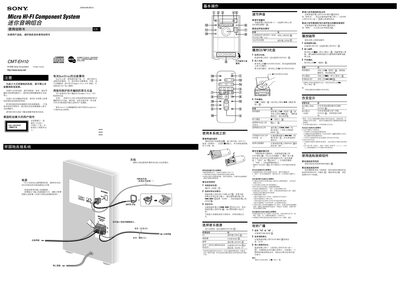
This manual covers safety precautions, power connection, and remote‑control basics for the CMT‑EH10 system. It explains how to connect speakers, antennas, and external audio sources, and how to set the clock and voltage selector.
Detailed instructions are given for CD/MP3 playback, tape operation, FM/AM radio tuning, preset stations, timer and sleep functions, and troubleshooting common issues such as power loss, sound problems, and remote‑control failures.
| Continuous RMS Power Output (North America) | 5+5 W |
|---|---|
| Continuous RMS Power Output (Europe) | 4+4 W |
| Music Power Output | 7+7 W |
| Audio Input Sensitivity | 800 mV |
| Headphone Output Impedance | 8 Ω or higher |
| Speaker Nominal Impedance | 4 Ω |
| Power Consumption (North America) | 23 W |
| Standby Power Consumption | 1.0 W |
| Dimensions (without speakers) | 158 × 241.5 × 233 mm |
| Weight (without speakers) | 2.1 kg |
Press the power button, then press CLOCK/TIMER SET on the remote, select the clock mode, and use the hour/minute buttons to set the time.
Use the remote to select FM or AM, choose AUTO or MANUAL tuning mode, tune to the desired station, then press TUNER MEMORY and select a preset number before confirming with ENTER.
The system is designed to play discs that meet the Compact Disc (CD) standard, including audio CDs and CD‑R/CD‑RW discs that contain MP3 files.
Turn off the unit, disconnect and reconnect the power cord, then simultaneously press the STOP, POWER, and DSXG buttons on the unit.