
HUAWEI device connection and debugging manual, this document describes how to change the HUAWEI device IP to 1 network segment method, including changing the computer computer network to 192.168.0.123, changing the network segment, connecting the switch to the local area network, configuring SDK address, username and password and other contents.
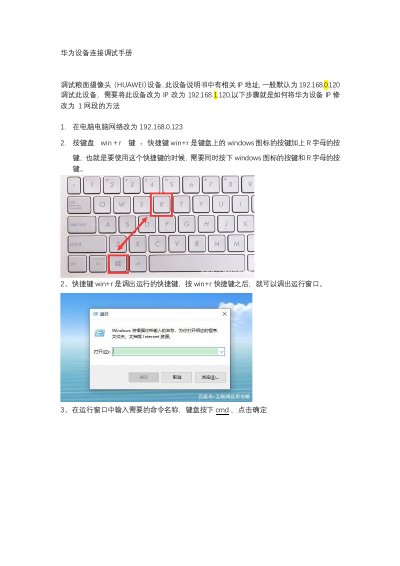
This Huawei document explains how to debug a Huawei camera device that generally uses the default IP address 192.168.0.120. It describes changing the computer IP address to 192.168.0.123, opening the Run window with Win+R, and using cmd and ipconfig.
It then covers powering the Huawei device, connecting it to the LAN through a switch, opening 192.168.0.120 in a browser, logging in with the admin credentials, changing the device IP to the 192.168.1.120 range, setting local time, and configuring the SDK address. This manual is written in Chinese.
| Default IP address | 192.168.0.120 |
|---|---|
| Target IP address | 192.168.1.120 |
| Default web username | admin |
| Default web password | admin@123 |
The manual states that the default is generally 192.168.0.120.
It should be changed to 192.168.1.120.
The username is admin and the password is admin@123.
Press the Windows key and R at the same time.