
Unitronics' Demo Case is a sales tool that helps you demonstrate the features of Unitronics HMI products. The document provides detailed instructions on how to use the Demo Case for demonstrations.
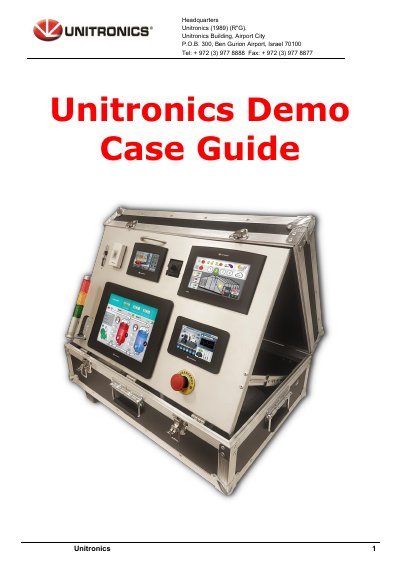
Unitronics Demo Case Guide is a technical support document for the Unitronics Demo Case, a sales aid that demonstrates features of Unitronics HMI + PLC All-in-One controllers. It lists the case contents and describes power-up, main screens, Wi-Fi connection, and the emergency push button.
The guide also walks through demonstrations on the UniStream 10-inch, UniStream 5-inch, SAMBA, and Vision700 controllers, plus market segment scenarios such as water treatment and boiler simulation.
| Power supply | 24 V, 2.5 A |
|---|---|
| Wireless router | TP-link model TL-WR740N |
| Router address | 192.168.1.1 |
| Router user name | admin |
| Router password | admin |
| Default VNC port | 5900 |
Connect it to a power source using an IEC 320 C13 or C14 cable, then switch it on.
Connect to the wireless network whose name is the Demo Case serial number.
It switches all three PLCs to Emergency Stop mode; turn the button to the right to release them.
Swipe the card, enter the administrator password (default 1111), assign a user name and picture, then save the card ID.