
Unitronics Vision™PLC+HMI Installation Guide, introduce the features and usage of the product
This guide provides step-by-step instructions for installing Unitronics Vision™ PLC+HMI models V230/280/290 with non-color screens. It covers mounting the unit, wiring connections, grounding requirements, and configuring communication ports. The guide also includes safety warnings and environmental considerations for proper installation and operation.
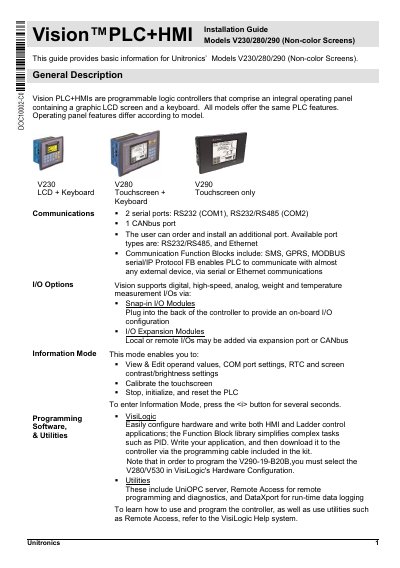
The controller features integrated PLC functionality with a graphic LCD screen and keyboard. Models differ in screen type: V230 has LCD + keyboard, V280 and V290 have touchscreen. Communication ports include RS232, RS485, and CANbus, with optional Ethernet. I/O options include snap-in and expansion modules for digital, analog, and temperature measurements.
| Operating Panel Features | V230: LCD + Keyboard; V280: Touchscreen + Keyboard; V290: Touchscreen only |
|---|---|
| Communication Ports | 2 serial ports (RS232/RS485), 1 CANbus port, optional Ethernet |
| Power Supply | External 12 or 24VDC, 10.2–28.8VDC input range |
| I/O Options | Snap-in I/O Modules and I/O Expansion Modules |
The controller has 2 serial ports (RS232 and RS485) and 1 CANbus port. An optional Ethernet port can be ordered and installed.
An external 12 or 24VDC power supply is required, with an input voltage range of 10.2–28.8VDC and less than 10% ripple.