
This document is the installation guide for Unitronics 1 JZ10-11-UA24 Jazz™ Micro-OPLC™, which introduces the characteristics and installation methods of this product
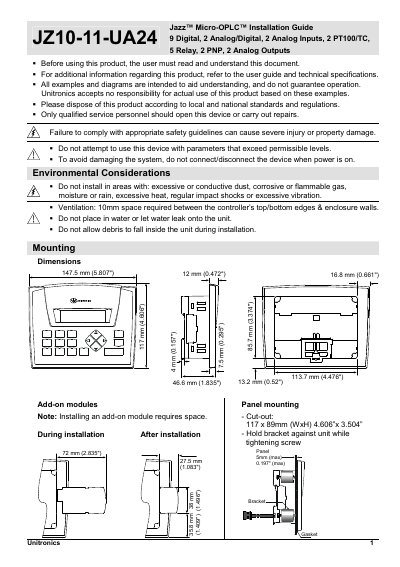
The document serves as an installation guide for the Unitronics JZ10-11-UA24 Jazz Micro-OPLC controller. It outlines critical safety precautions, including restrictions on operating environments such as areas with excessive dust, moisture, or flammable gases. The guide specifies that only qualified service personnel should perform repairs and warns against connecting or disconnecting the device while power is on.
| Digital Inputs (I0-I8) | 9 Digital Inputs |
|---|---|
| Analog/Universal Inputs (I9-I10) | 2 Analog/Digital Inputs |
| Analog Current Inputs (AN2-AN3) | 2 Analog Inputs |
| Thermocouple/RTD Inputs | 2 PT100/TC inputs |
Do not install in areas with excessive or conductive dust, corrosive or flammable gas, moisture or rain, excessive heat, regular impact shocks or excessive vibration.
A 10mm space is required between the controller's top/bottom edges and enclosure walls.
Do not exceed a maximum torque of 0.5 N·m (5 kgf·cm) to avoid damaging the wire.
No, you must not connect/disconnect the device when power is on to avoid damaging the system.