
unBT2A Bluetooth® Audio Wall Plate Receiver
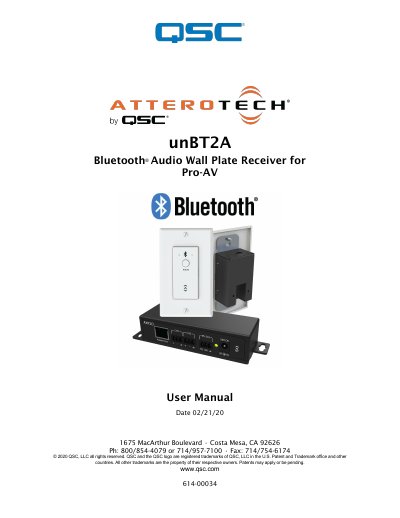
The unBT2A is a single gang Decora-style in-wall Bluetooth audio interface designed to add wireless audio streaming to installed audio systems. It supports simple one-button pairing, balanced analog outputs, and RS-232 control for integration with third-party systems. The device is USB-configurable and includes a factory reset option. It is intended for professional AV installations and requires proper mounting and cabling for optimal performance.
Installation involves connecting the unBT2A to a CAT-5/6 cable via the unBT2A-EXP expander, which provides balanced audio outputs and RS-232 control. The unit must be powered via 24V DC or USB for configuration, though audio output requires full power. Safety precautions include avoiding moisture, ensuring proper ventilation, and using only specified accessories.
| Form Factor | Single gang Decora style |
|---|---|
| Bluetooth® Compatibility | Smartphones, Apple iPads, Android tablets, laptops |
| Audio Output | Balanced mono/stereo analog outputs |
Yes, it supports RS-232 serial control for integration with third-party control systems, including remote pairing management and status monitoring.
It is a single gang Decora style in-wall Bluetooth audio interface used for adding Bluetooth audio connectivity to installed audio systems, letting users stream Bluetooth audio from devices like smartphones, laptops, or tablets to the sound system.
It uses CAT-5 or better unshielded cabling to transport the analog audio outputs and control to the unBT2A-EXP break out box, which outputs balanced mono or stereo analog audio on 3-pin depluggable connectors.
Yes, power supplied via the USB connection is enough to power the unBT2A for initial configuration, but the audio outputs will not operate while it is powered only via USB.