
This is an installation guide that describes how to install the AT-x220-28GS Gigabit Ethernet Switch
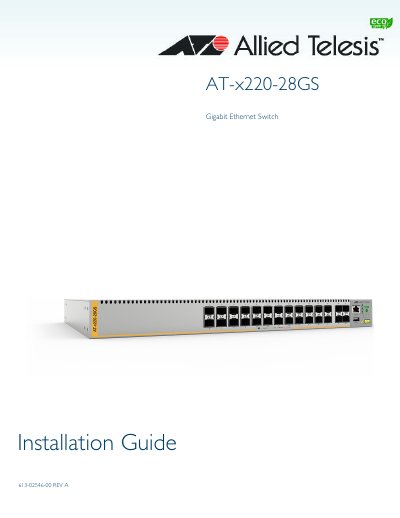
This installation guide from Allied Telesis describes how to set up the AT-x220-28GS Gigabit Ethernet switch. It begins with an overview of the switch hardware, including the SFP slots, USB slot, console port, LEDs and the ecofriendly button, along with the package contents and the front and back panels.
The installation chapters cover reviewing safety precautions, selecting a site, unpacking the switch, mounting it on a table or desktop, in an equipment rack or on a wall, powering on the switch, starting a local management session and cabling the network ports. Troubleshooting information and an appendix of technical specifications, including dimensions, weight, environmental limits, input voltage, power consumption, certifications and console port pinouts, complete the document.
| Dimensions (W x D x H) | 341 mm x 231 mm x 44 mm (13.42 in x 9.10 in x 1.73 in) |
|---|---|
| Weight | 4.3 kg (9.47 lb) |
| Operating temperature | 0° C to +50° C (32° F to 122° F) |
| Storage temperature | -25° C to 70° C (-4° F to 158° F) |
| Operating humidity | Less than 90% non-condensing |
| Storage humidity | Less than 95% non-condensing |
| Operating altitude range | Up to 3,000 m (9,842 ft) |
| Input supply voltage | 100-240 VAC, 50-60 Hz, 0.60A maximum |
The chassis measures 341 mm x 231 mm x 44 mm (13.42 in x 9.10 in x 1.73 in) and weighs 4.3 kg (9.47 lb).
The switch accepts 100-240 VAC, 50-60 Hz with a maximum of 0.60A, and its maximum power consumption is 75 W.
It operates from 0° C to +50° C (32° F to 122° F) and can be stored from -25° C to 70° C (-4° F to 158° F).
Appendix A includes a table of RJ-45 style serial console port pin signals, where pin 3 is Transmit Data and pin 6 is Receive Data.