
Key facts
- Manuals
- 66
- Models
- 4
- Categories
- 4
- Languages
- EN · ZH · JA
- Last added
- 2026-09-30
Allied Telesis models by category
Featured Allied Telesis manuals
Allied Telesis AT-S87 Management Software User Guide
This guide explains how to install, start, and operate the AT‑S87 Management Software for the AT‑GS950/48 Gigabit Ethernet Smart Switch. It covers initial setup, IP configuration, DHCP, user administration, and returning the software to default settings.
The manual also details advanced features such as port configuration, VLANs, SNMP, port trunking, port mirroring, Class of Service, IGMP snooping, STP/RSTP, security settings, statistics, MAC address management, and the procedure for downloading and installing new software versions.
Covers: Getting Started · Basic Switch Parameters · Port Configuration · SNMP · Port Trunking · Port Mirroring
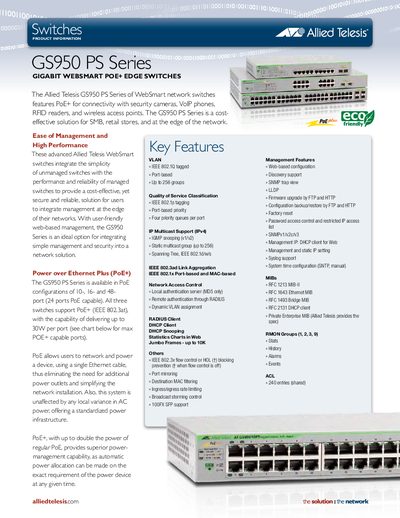
Allied Telesis GS950 PS Series Gigabit WebSmart PoE+ Edge Switches Product Information
The GS950 PS Series of WebSmart network switches delivers Power over Ethernet Plus (PoE+) for devices such as security cameras, VoIP phones, RFID readers, and wireless access points. Available in 10‑, 16‑, and 48‑port configurations, the switches combine unmanaged simplicity with managed performance, offering web‑based configuration, VLAN tagging, QoS classification, link aggregation, and extensive security controls.
Technical specifications include forwarding rates up to 96 Gbps, up to 8 000 MAC addresses, 4 000 VLAN IDs, 1 MB DRAM packet buffer, 16 MB flash, and PoE+ power up to 30 W per port. The units operate from 0 °C to 40 °C (non‑operating –25 °C to 70 °C) and meet multiple safety and environmental standards such as UL60950‑1, FCC, CE, and RoHS.
Covers: Switches product information · Power over Ethernet Plus (PoE+) · VLAN · Quality of Service Classification · IP Multicast Support · Link Aggregation
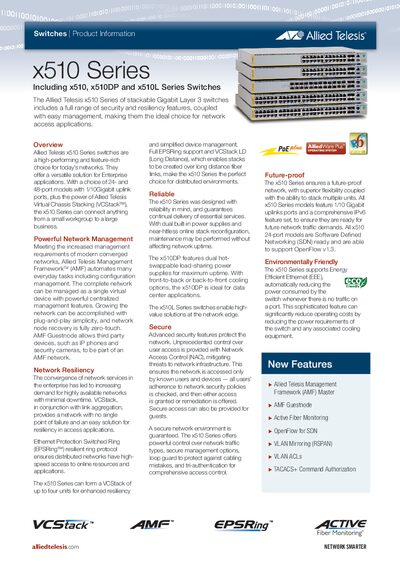
Allied Telesis x510 Series Switches Datasheet
The x510 Series provides a range of stackable Gigabit Layer 3 switches designed for enterprise networks. Models include 24‑ and 48‑port variants with 1/10 Gbps uplinks, dual power supplies, and support for Virtual Chassis Stacking (VCStack) and Ethernet Protection Switched Ring (EPSRing) for high availability.
Key capabilities include the Allied Telesis Management Framework (AMF) for centralized configuration, PoE+ up to 30 W per port, extensive QoS, ACLs, and IPv6 support. The series is built for flexible deployment, from small workgroups to distributed data‑center environments.
Covers: Key Features · Performance · Physical Specifications · Security Features · Environmental Specifications · Electrical Approvals and Compliances
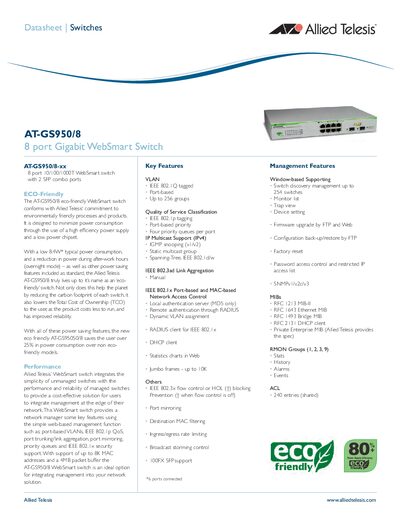
Allied Telesis AT-GS950/8 8 Port Gigabit WebSmart Switch Datasheet
The AT‑GS950/8 is an 8‑port Gigabit WebSmart switch designed for low power operation, featuring a high‑efficiency power supply and a low‑power chipset. It supports eco‑friendly operation with typical power consumption of 8.40 W and a maximum of 9.70 W.
Key features include port‑based VLANs, IEEE 802.1p QoS, link aggregation, port mirroring, and IEEE 802.1x security. The switch offers up to 256 VLAN groups, 8 K MAC address table, 4 MB packet buffer, and a 16 Gbps switching capacity, making it suitable for edge network management.
Covers: Key Features · Performance · Power Supply Efficiency · Management Features · Physical Characteristics · Environmental Compliance
Latest Allied Telesis manuals
Allied Telesis AT-S87 Management Software User Guide
User Manual 148 pages · 1.1 MB · ENUser guide for the AT-S87 Management Software that configures and monitors the AT‑GS950/48 Gigabit Ethernet Smart Switch.
Allied Telesis GS950 PS Series Gigabit WebSmart PoE+ Edge Switches Product Information
Product Leaflet 2 pages · 452 KB · ENThe Allied Telesis GS950 PS Series provides PoE+ Gigabit WebSmart edge switches with up to 48 ports, VLAN, QoS, and advanced management features.
Allied Telesis x510 Series Switches Datasheet
Datasheet 9 pages · 1023 KB · ENThe Allied Telesis x510 Series offers stackable Gigabit Layer 3 switches with advanced security, resiliency, PoE+, and flexible management features.
Allied Telesis AT-GS950/8 8 Port Gigabit WebSmart Switch Datasheet
Datasheet 2 pages · 73 KB · ENThe Allied Telesis AT-GS950/8 is an 8‑port Gigabit WebSmart switch with 2 SFP combo ports, offering eco‑friendly low power consumption and advanced…
Allied Telesis Download TriplePlay_Guide
IP Triple Play provides an integrated service of voice, video and data, and IPTV is an important part of it. Operators have different strategies for IPTV, and can attract customers by lowering prices or by enhancing interactive services and pay-TV content.
Allied Telesis fibersolutions_brochure Manual
Allied Telesis provides fiber connectivity solutions that meet the high bandwidth, reliability, and security needs of service providers and enterprises.
Allied Telesis Download VCStack_x900_Tested_Solution Manual
This document introduces the Allied Telesis x900 series switch VCStack + Link Aggregation high availability solution. This solution is achieved by configuring 802.3ad link aggregation between the edge and the core for full bandwidth utilization and maximum availability.
Allied Telesis Advanced_Edge_Security_with_NAC_revA Manual
This document introduces Allied Telesis' advanced edge security solution - Network Access Control (NAC)
Allied Telesis Implementing_NAC_Tested_Solution Manual
This document describes a solution for protecting networks using Microsoft Network Access Protection (NAP) and Allied Telesis Switches. By implementing a Network Access Control (NAC) solution, network administrators can efficiently manage network access and network security.
Allied Telesis Network_in_a_Box manual
Allied Telesis Network in a Box is a network solution for small businesses provided by Allied Telesis. The solution has low cost, easy expansion, easy management, high reliability, strong security and future-proofing.
Allied Telesis Virtual_Customer_Networks_over_shared_Ethernet manual
Use Allied Telesis network virtualization solutions to provide virtual network services to commercial tenants
Allied Telesis Resilient_EPSR_Network_Tested_Solution manual
Allied Telesis Delivering_Value_with_Network_Virtualization.pdf
This solution brief describes how to use Allied Telesis's network virtualization solution to converge services onto the network to improve availability of mission-critical applications while lowering costs.
Allied Telesis Upgrade_Manager manual
Allied Telesis provides a tool called Upgrade Manager that simplifies the process of network configuration and inventory management. The tool can automatically search for devices on the network and create a device inventory.
Allied Telesis Allied_Telesis_Roadways_Solution manual
This document introduces the Allied Telesis solution for roadways authorities to address traffic congestion, traffic accidents, emergency response times, and pollution. The solution has resilience, high performance, sophisticated management, security, and convergence.
Which document do I need?
User Manual
Day-to-day operation, settings and troubleshooting. Start here if the product is already set up.
Datasheet
Ratings, dimensions and ordering codes, for selection and design work.
Service Manual
Disassembly, diagnostics and part numbers, for repair.
Questions answered in Allied Telesis manuals
How do I start a management session with the AT‑S87 software?
Open the software and select the appropriate menu to begin a management session as described in Chapter 1: Getting Started.
What happens after the firmware upload is complete?
The switch automatically reboots, which stops network traffic and requires you to log in again.
What PoE+ power does the GS950 PS Series support per port?
Each PoE+ port can deliver up to 30 W of power (IEEE 802.3at).
From: Allied Telesis GS950 PS Series Gigabit WebSmart PoE+ Edge Switches Product Information
How many ports are available in the GS950 PS Series?
The series is offered in 10‑, 16‑, and 48‑port PoE configurations.
From: Allied Telesis GS950 PS Series Gigabit WebSmart PoE+ Edge Switches Product Information
How many units can be stacked in a VCStack?
Up to four units can be stacked in a VCStack.
What PoE+ power does the x510 series support?
The switches support PoE+ up to 30 W per port.