
This document is the Argox iX4 series printer user manual
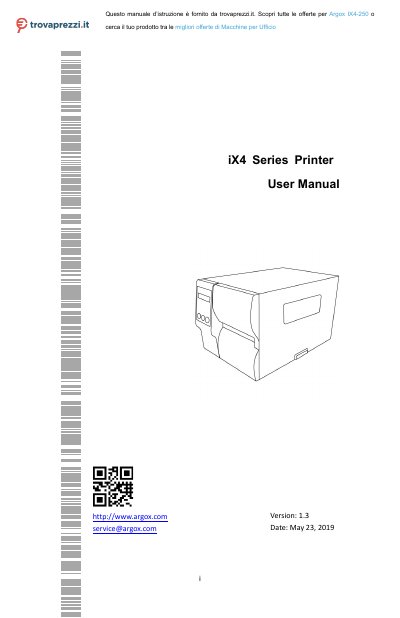
This manual explains how to set up and operate the Argox iX4 series industrial barcode printers, including unpacking, controls, power, and loading media and ribbon.
It also covers printer operation, calibration, communications, driver installation, maintenance, troubleshooting, and technical specifications for the iX4-200, iX4-240, iX4-250, and iX4-350 models.
| Print method | Direct Thermal & Thermal Transfer |
|---|---|
| Resolution | 203 dpi (8 dots/mm) or 300 dpi (12 dots/mm) |
| Maximum print speed | 8 IPS |
| Print width | 4.08 in (103.7 mm) or 4.13 in (105 mm) |
| Media width | 1 in (25.4 mm) to 4.4 in (112 mm) |
| Media thickness | 0.0025 in to 0.01 in (0.0635 mm to 0.254 mm) |
| Media types | Roll-feed, die-cut, continuous, fan-fold, tags, ticket, plain paper, or label |
| Ribbon width | 1 in to 4 in (25.4 mm to 101.6 mm) |
| Ribbon length | Max. 450 m (wax or semi-resin) |
| Ribbon types | Wax, Wax/Resin, Resin |
| Onboard memory | 32 MB SDRAM and 16 MB Flash ROM |
| USB storage | Up to 32 GB (FAT32 format only) |
| RTC battery | CR2032, +3V, 225 mAh |
| Standard communication | Ethernet, dual USB hosts, USB device, and RS-232 |
| Programming language | PPLA, PPLB, PPLZ |
| CPU | 32-bit RISC microprocessor |
| Agency listings | CE, FCC, CB/LVD, cULus, ICES, Energy Star |
The package includes the printer, a Quick Installation Guide, a DVD, a USB cable, an AC power cord, and a 1-inch ID core for ribbon.
It supports roll-feed, die-cut, continuous, fan-fold, tags, ticket, plain paper, or label media.
Wax, Wax/Resin, and Resin ribbons are supported.
Standard interfaces are Ethernet, dual USB hosts, USB device, and RS-232.