
HUAWEI Speed Wi-Fi HOME L02 Quick Start Guide

This file is a quick start guide for the Speed Wi-Fi HOME L02 device, introducing the usage methods, connection methods, and precautions of the device
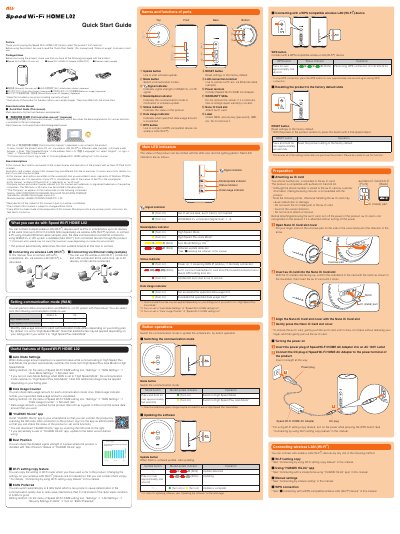

HUAWEI Speed Wi-Fi HOME L02 Quick Start Guide - cover page
Brand
Huawei
Document type
Quick Start Guide
Language
English
Pages
2
File format
PDF
File size
1.3 MB
Published
19 October, 2023
Updated
19 October, 2023
MD5 checksum
B19536D1DD47CB3C566AB959AF370343

About this manual

This guide explains how to set up and use the HUAWEI Speed Wi-Fi HOME L02, including attaching the au IC card, powering on, connecting via Wi-Fi or Ethernet, and switching communication modes. It also covers useful features like Auto Mode Settings, Data Usage Counter, and HUAWEI HiLink app integration. The device supports WiMAX 2+ or LTE for internet access and can connect up to 40 Wi-Fi devices simultaneously.

What's inside

  • Quick Start Guide
  • Attaching au IC Card
  • Powering On
  • Connecting via Wi-Fi
  • Connecting via Ethernet
  • Setting Communication Mode
  • Auto Mode Settings
  • Data Usage Counter
  • HUAWEI HiLink App
  • Best Position

Frequently asked questions

What is the maximum number of wireless LAN devices that can connect to the Speed Wi-Fi HOME L02?

You can connect up to 40 devices at the same time (up to 20 for 2.4 GHz/5 GHz respectively).

What communication modes can the Speed Wi-Fi HOME L02 use?

It can use WiMAX 2+ or LTE system for data communication.

What is the default communication mode for the Speed Wi-Fi HOME L02?

By default, it is set to “High Speed Mode”.

Download PDF (1.3 MB)

More Huawei Manuals


View all Huawei manuals →