
This is the instruction manual for the Gemei X-790 portable multimedia player
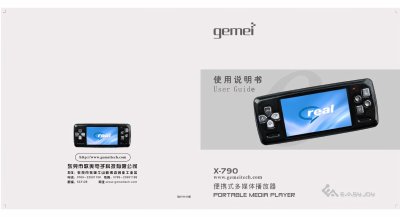
This manual provides instructions for using the Gemei X-790 portable multimedia player, including safety precautions, main features, operation steps, and troubleshooting tips. It covers music, video, and game playback, SD/MMC card usage, USB connectivity, and system settings. The device supports various formats and includes a 3-inch TFT screen and built-in storage options. This manual is written in Chinese.
| Screen | 3-inch 1600万色 16:9 TFT |
|---|---|
| USB Interface | USB2.0 (High speed) |
| Supported Video Formats | RM/RMVB/AVI/FLV/MPG/MPEG/DAT |
| Supported Audio Formats | MP3/WMA/APE/FLAC |
| Built-in Storage | 128M/256M/512M/1G/2G/4G |
| Maximum SD/MMC Card Capacity | 4G |
Check if the player is powered on, in the main menu mode, or if the USB port is faulty. Also, ensure the USB cable is fully inserted.
This may be due to low battery power. Check the battery level on the screen or recharge the device.
WMA files may be protected by copyright. Use software to create unprotected WMA files.
Ensure the device is safely ejected from the computer before unplugging the USB cable to avoid data corruption.