
Key facts
- Manuals
- 12
- Models
- 1
- Categories
- 2
- Languages
- ZH · JA
- Last added
- 2012-03-27
Gemei models by category
Featured Gemei manuals
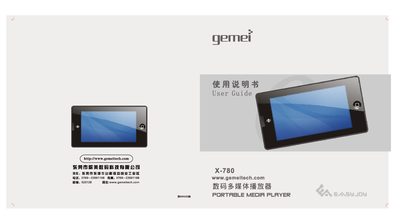
Gemei X-780 Digital Media Player User Guide
The X-780 is a portable digital multimedia player featuring a 3.0‑inch TFT widescreen, support for video, audio, FM radio, voice control, and USB 2.0 connectivity. It includes functions such as one‑key voice control, TV‑OUT, FM recording, and a variety of playback modes.
This guide covers safety precautions, button layout, basic operation steps, voice‑command usage, music and video playback, file management, charging, and a troubleshooting section that addresses common issues like power problems, USB connection errors, and playback failures. This manual is written in Chinese.
Covers: Safety Precautions · Basic Functions · Button Layout · Voice Control Operation · Music Playback · Product Specifications
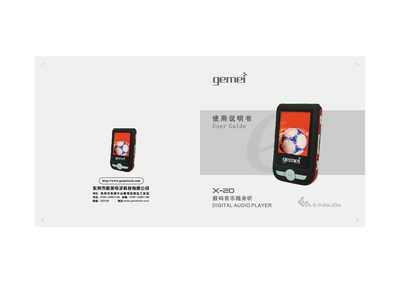
Gemei X-20 Digital Audio Player User Manual
This guide covers the basic operation of the Gemei X-20 digital audio player, including playback of MP3, WMA, WAV, APE and OGG files, FM radio, video and image viewing, and text reading. It also explains safety precautions, power‑adapter usage, and how to connect the device to a computer via the High‑Speed USB 2.0 interface.
Additional sections describe troubleshooting for common issues such as freezing, key lock‑up, and USB connection problems, as well as detailed procedures for formatting the internal storage, updating firmware, using the built‑in game mode, phone‑book function, and text‑reading feature. This manual is written in Chinese.
Covers: Safety Precautions · Main Functions · Key Operation Index · Troubleshooting · Specifications · Formatting the MP3 Player
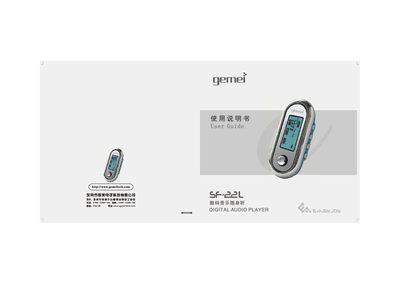
Gemei SF-22L Digital Audio Player User Guide
The Gemei SF-22L is a portable digital audio player that supports MP3, WAV and WMA formats, voice recording, e‑book reading and USB mass‑storage functions. This guide explains safety precautions, main functions, button layout and menu settings to help users operate the device safely and efficiently.
Key topics include battery handling, headphone use, file navigation, firmware upgrade, and detailed troubleshooting steps for common issues such as freezing during file transfer or power‑on failures. The manual also lists the technical specifications of the player. This manual is written in Chinese.
Covers: Safety Precautions · Main Functions · Audio Mode Operation · Voice Recording · E‑book Operation · File Navigation
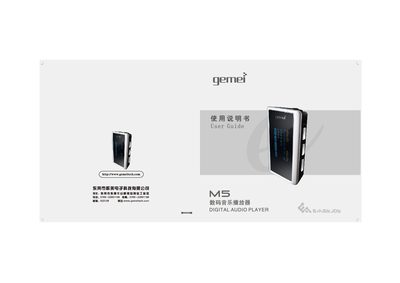
Gemei M5 Digital Audio Player User Manual
This manual explains how to safely use the Gemei M5 digital audio player, covering basic functions such as music playback, FM radio, recording, and file navigation. It includes safety precautions, battery handling, and connection instructions for USB transfer to a computer.
Detailed sections describe button functions, playback modes, sound‑effect settings, and how to manage files, playlists, and recordings. Troubleshooting tips help resolve common issues like freezing during file copy or USB connection problems. This manual is written in Chinese.
Covers: Safety Precautions · Main Functions · Button Operation Index · Connecting to Computer · FM Radio Operation · File Navigation Mode
Latest Gemei manuals
gemei X-660 digital multimedia player Manual
The document describes the features and characteristics of a product.
gemei X-690HD+ digital multimedia player Manual
This document introduces a system for monitoring and managing ARM-based devices. The system consists of several components, including a central manager, a device manager, and a device agent. The central manager is responsible for monitoring and managing all devices, and provides a central management interface. The device manager is responsible for communicating with each device, and sending device status information to the central manager. The device agent is responsible for running on the device, and collecting device status information.
Gemei X-780 Digital Media Player User Guide
User Manual 18 pages · 9.1 MB · ZHThe Gemei X-780 digital media player user guide provides setup, operation, safety, and troubleshooting instructions.
Gemei X-20 Digital Audio Player User Manual
User Manual 24 pages · 14.9 MB · ZHThe Gemei X-20 digital audio player user manual provides operation instructions, troubleshooting tips, and specifications.
Gemei SF-22L Digital Audio Player User Guide
User Manual 20 pages · 13.4 MB · ZHUser guide for the Gemei SF-22L digital audio player covering operation, safety, and troubleshooting.
Gemei M5 Digital Audio Player User Manual
User Manual 20 pages · 10.1 MB · ZHThe Gemei M5 digital audio player user guide provides setup, operation, safety tips, and troubleshooting.
Gemei M450 Digital Audio Player User Guide
User Manual 20 pages · 10.7 MB · ZHUser guide for the Gemei M450 digital audio player covering operation, safety, and specifications.
Gemei B5 Digital Audio Player User Manual
User Manual 34 pages · 25.9 MB · ZHThe Gemei B5 digital audio player user manual provides operating instructions, safety notes, specifications, and troubleshooting tips.
Gemei HD970 Multimedia Player User Manual
User Manual 15 pages · 2.7 MB · ZHThe Gemei HD970 multimedia player user manual provides safety guidelines, feature descriptions, and step‑by‑step operation instructions.
Gemei HD-950 Multimedia Player User Manual
User Manual 16 pages · 2.5 MB · ZHThe Gemei HD-950 multimedia player manual provides safety guidelines, feature descriptions, operation steps, and troubleshooting for the device.
Gemei X-780LE Multimedia Player User Manual
User Manual 17 pages · 3.7 MB · ZHThe Gemei X-780LE multimedia player user manual explains functions, accessories, operation steps, specifications and troubleshooting.
Gemei HD-717LE Multimedia Player User Manual
User Manual 15 pages · 2.5 MB · JAThe Gemei HD-717LE multimedia player manual provides safety guidelines, feature descriptions, and operation instructions.
Which document do I need?
User Manual
Day-to-day operation, settings and troubleshooting. Start here if the product is already set up.
Questions answered in Gemei manuals
How do I charge the X‑780?
Connect the device to a computer with the USB cable; the USB connection also charges the built‑in battery.
Why does the player sometimes freeze or lock the keys?
Copying songs or formatting while the USB cable is disconnected can cause the keys to lock; avoid removing the USB cable until the copy progress indicator stops.
What should I do if the player does not power on after a crash?
Turn the power switch back to ON; the computer will detect the MP3 hardware and allow a firmware upgrade.
Why does the player freeze during file copying?
Do not unplug the USB cable until the LCD shows that the copy progress has finished; otherwise the player may lock up.
How can I recover the player if it won’t turn on after a crash?
Remove the battery, long‑press the PLAY button, then reconnect the battery and reinstall the firmware.
Why does the player freeze when copying songs or formatting?
Removing the USB cable before the copy or format process finishes causes the player to freeze; wait until the progress bar stops before disconnecting.