
This document introduces the features and usage methods of the Extech MO220 Moisture Meter. This product is a conductivity moisture meter specifically designed for the wood industry. It has eight calibration scales, enabling the user to take accurate moisture measurements in 170 wood species. Moisture measurements can be taken using the integral pin electrodes, or using the heavy duty moisture probe. When used with the temperature probe, the moisture measurements are automatically corrected with respect to temperature. This meter is shipped fully tested and calibrated and, with proper use, will provide years of reliable service.
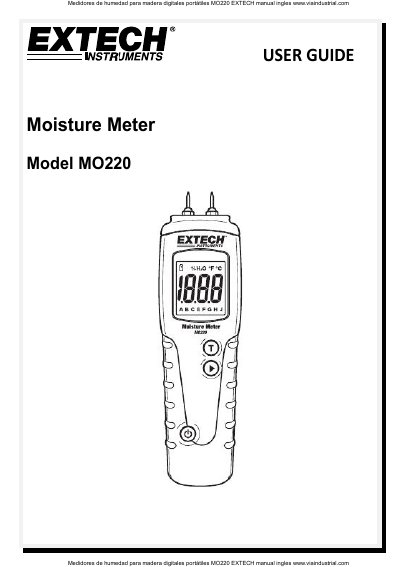
The Extech MO220 is a conductivity-based moisture meter designed specifically for the wood industry. It features eight calibration scales to accurately measure moisture content in 170 different wood species. The device allows for measurements using either integral pin electrodes or a heavy-duty moisture probe, with optional automatic temperature correction when used with a remote temperature probe.
The manual provides detailed instructions on basic operation, including selecting the correct wood group and taking measurements. It also explains how to perform manual temperature corrections if the temperature probe is not used, how to set the auto power-off timer, and how to verify calibration using internal test nodes. Additionally, it lists extensive wood species groups and their corresponding calibration letters.
| Measurement principle | Electrical resistance |
|---|---|
| Range | Wood: 6 to 44% |
| Electrode length | 8mm (0.3") |
| Power supply | Two (2) 'AAA' 1.5V batteries |
| Operating Humidity | 85% Relative Humidity maximum |
| Dimensions | 130 x 40 x 25mm |
| Weight | 100g (3.5 oz) |
The instrument has eight calibration scales, enabling the user to take accurate moisture measurements in 170 wood species.
Subtract 0.5% moisture content for every 9°F (5°C) the wood is above 68°F (20°C), or add 0.5% for every 9°F (5°C) it is below.
The meter requires two (2) 'AAA' 1.5V batteries.
Select '00' on the LCD by holding the power button and using the right arrow button to scroll to the desired time period.