
This is a product manual that introduces the use and function of Extech Heavy Duty Pressure Meter 407495.
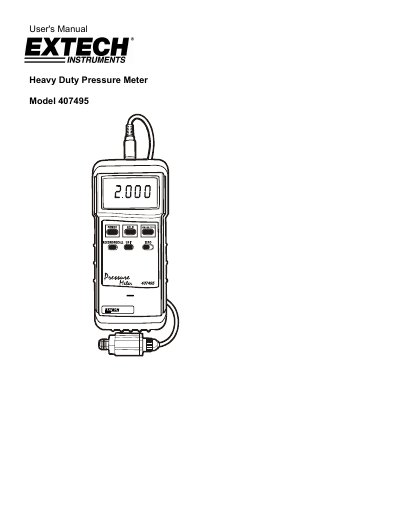
This manual guides users through setting up and operating the Extech Heavy Duty Pressure Meter Model 407495. It covers selecting and programming transducers, zeroing the meter, connecting to a process, and using features like data hold and min/max memory. The meter supports RS-232 PC interface and has auto power-off to conserve battery life. Specifications include display units, transducer ranges, and accuracy details.
The meter comes with a protective holster and 9V battery. Transducers are sold separately and include 30 psi, 150 psi, and 300 psi options. The device is calibrated and tested at the factory and includes a three-year warranty for parts and workmanship, with limited warranty for sensors and cables.
| Display | Multi-function LCD |
|---|---|
| Transducers | 30, 150 and 300 max. psi (sold separately) |
| Display Units | Bar, psi, Kg/cm², mmHg, inHg, mH2O, inch H2O, Atmosphere |
| Zero Adjust | Front panel push-button |
| Data Hold | Displayed reading can be held by front panel push-button |
| Auto Power-Off | Turns OFF automatically after approx. 10 minutes (programmable over-ride) |
| Sampling Time | 0.8 seconds approx. |
| Power Supply | 9V Battery |
| Operating Temperature | 32 to 122°F (0 to 50°C) |
| Operating Humidity | Less than 80% RH |
| Dimensions | 7.1 x 2.8 x 1.3" (180 x 72 x 32mm) |
| Weight | Approx. 0.76 lbs. (345g) |
| Accuracy (Meter only) | ± (0.5% reading + 1 digit) |
| Accuracy (Transducer only) | ± 2% full scale |
| Combined Accuracy | ± (2.5% full scale + 1 digit) |
With the meter turned OFF, simultaneously press and hold the HOLD, SENSOR, & RECORD buttons down. While holding the three buttons down, press the POWER key momentarily. Release the 3 buttons when the LCD display switches on. A number will appear on the LCD that represents the Transducer type. Select the Transducer type by pressing the SENSOR TYPE key until the desired transducer number appears.
You can select Bar, psi, Kg/cm², mmHg, inHg, mH2O, inch H2O, or Atmospheres (ATP).
Attach a transducer to the meter, turn the meter ON, and select the range that matches the attached transducer. With the transducer attached to the meter (but not attached to the process) press the ZERO button.
Extech Instruments Corporation warrants this instrument to be free of defects in parts and workmanship for three years from date of shipment (a six month limited warranty applies to sensors and cables).