
S40-PH-x-B03 INSTRUCTION MANUAL. This manual introduces the products control methods, operating procedures, power specifications, technical parameters, etc.
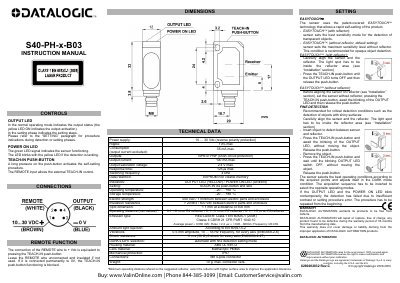
This manual describes the operation and setup of the Datalogic S40-PH-x-B03 sensor, including LED indicators, teach-in procedures, and technical specifications. It covers power requirements, output types, response time, and environmental ratings. The sensor uses EASYTOUCH™ technology for automatic sensitivity adjustment with or without a reflector. Setup involves pressing the TEACH-IN button or using the REMOTE wire for external control. The manual also includes warranty information and environmental compliance details.
| Power Supply | 10 … 30 Vdc |
|---|---|
| Output Current | 100 mA max. |
| Response Time | 125s max. |
| Operating Temperature | -20 … +60 °C |
| Storage Temperature | -20 … +80 °C |
| Emission Type | RED LASER: Class 1 EN 60825-1 (2008) Classe II CDRH 21 CFR PART 1040.10 |
| Weight | 10 g. max. connector vers. |
Press the TEACH-IN push-button until the OUTPUT LED turns OFF, then release it.
0.1…6 m on R2 reflector / 0.1…3 m on R7 reflector / 0.1…1.5 m on R8 reflector.
The detection has failed due to insufficient contrast or setting procedure error.