
Pro Flight Rudder Pedals manual, introduces product features and characteristics
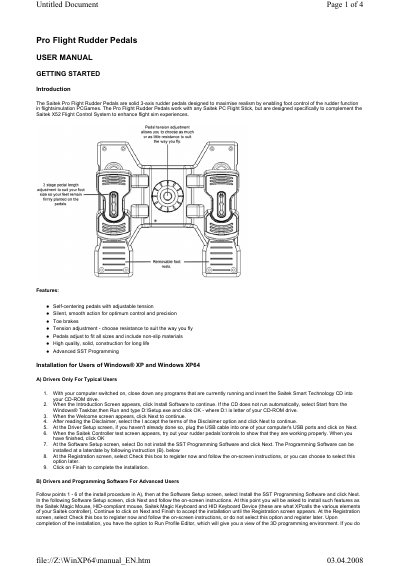
The document provides a user guide for the Saitek Pro Flight Rudder Pedals, detailing features such as self-centering pedals with adjustable tension, toe brakes, and non-slip materials. It explains how to install drivers and programming software on Windows XP and Windows 2000 systems.
| Axis Type | 3-axis rudder pedals |
|---|---|
| Compatible OS (Drivers Only) | Windows XP and Windows 2000 |
It is designed specifically to complement the Saitek X52 Flight Control System.
No, for typical users on Windows XP/XP64, you should select 'Do not install the SST Programming Software' during initial setup.
Open the Game Controllers window in Control Panel, select the controller, go to Properties > Test tab, and move your pedals.