
The FrSky XSR-SIM Wireless USB Dongle allows you to connect your FrSky radio to your computer wirelessly and use a simulator. It is compatible with all FrSky transmitters and module systems (D16 mode), and supports DRL, LiftOff, Freerider, and HotProps, etc.
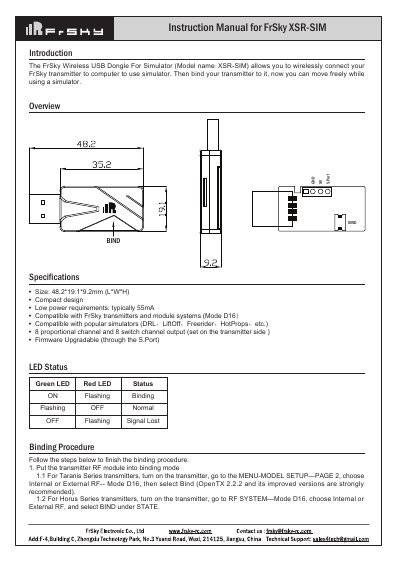
The FrSky XSR-SIM is a compact wireless USB dongle designed to connect FrSky transmitters to computers for simulator use. It features an 8-channel output (proportional and switch) compatible with Mode D16 systems and popular simulators like DRLaLiftOff and Freerider.
| Size | 48.2*19.1*9.2mm (L*W*H) |
|---|---|
| Power Consumption | typically 55mA |
| Channel Output | 8 proportional channel and 8 switch channel output |
Turn on the transmitter, go to MENU-MODEL SETUP—PAGE 2, choose Internal or External RF-- Mode D16, then select Bind.
Turn on the transmitter, go to RF SYSTEM—Mode D16, choose Internal or External RF, and select BIND under STATE.
Choose D16 mode first, turn on External RF while holding the F/S button on the module, then release the button until the RED LED flashes.