
This document is an instruction manual for the DUAL DIGITAL FIBER SENSOR FS-V21/21G/21R(P)/21X. The document provides information on the safety precautions, part names, mounting unit, and connecting fiber unit.
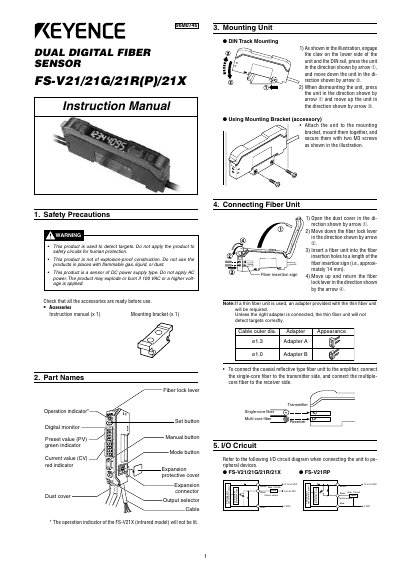
The document serves as an instruction manual for the KEYENCE Dual Digital Fiber Sensor (models FS-V21/21G/21R(P)/21X). It covers essential topics including safety precautions, part names, mounting procedures using DIN rails or brackets, and detailed instructions for connecting fiber units. The guide explains how to configure I/O circuits and select between light-ON and dark-ON output modes.
Do not apply the product to safety circuits for human protection, do not use in places with flammable gas or dust, and only apply DC power as it is a DC type.
Press the set button for a minimum of three seconds while the target workpiece is passing the sensing area.
Press the output selector; the display indicates dark-ON mode, and pressing the manual button within five seconds sets it to light-ON mode.