
This document is the installation guide for HP ProCurve Switch 1600M and 2424M. It introduces the front and back of the switches, network ports, LED indicators, mode select button and indicator LEDs, console port, reset button, clear button, power connector, and switch features.
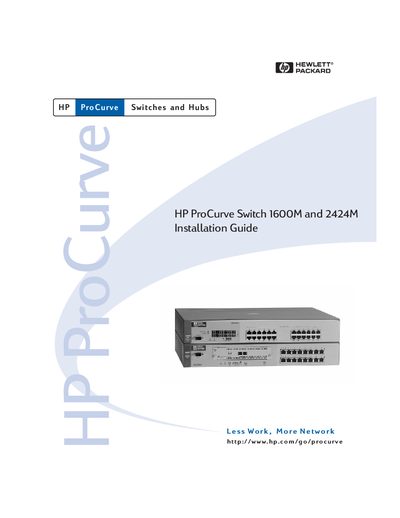
The HP ProCurve Switch 1600M and 2424M are multi‑port Ethernet switches with 16 or 24 autosensing 10/100Base‑TX ports and an optional module slot for expanded connectivity. The guide describes the front and back of the switches, LEDs, console port, reset/clear buttons, and basic operation overview.
It provides detailed installation procedures, including site preparation, cable type recommendations, power connection, mounting options (rack, cabinet, horizontal surface, wall), module installation, and safety and regulatory statements. Troubleshooting tips, LED diagnostics, and support information are also included.
| Width | 44.2 cm (17.4 in) |
|---|---|
| Depth | 33.5 cm (13.2 in) |
| Height | 6.6 cm (2.6 in) |
| Weight | 4.5 kg (9.9 lbs) – 1600M, 4.7 kg (10.4 lbs) – 2424M |
| AC Voltage | 100–127 V or 200–240 V |
| Maximum Current | 1.0 A – 1600M, 2.0 A – 2424M |
| Operating Temperature | 0 °C to 55 °C (32 °F to 131 °F) |
| Non‑Operating Temperature | -40 °C to 70 °C (-40 °F to 158 °F) |
| Relative Humidity | 15 % to 95 % at 40 °C (104 °F) |
| Maximum Altitude | 4.6 km (15,000 ft) |
They operate on AC voltage of 100–127 V or 200–240 V, with a maximum current of 1.0 A for the 1600M and 2.0 A for the 2424M.
For 10 Mbps operation use Category 3, 4, or 5 UTP; for 100 Mbps operation use Category 5 UTP or shielded twisted‑pair, with a maximum length of 100 m.
The switch meets EN60950 / IEC 950, CSA 22.2 No. 950, and UL 1950 safety standards.