
This document provides an explanation of the printer information displayed on the control panel screen. It lists common information that may cause issues and provides instructions for using the printer's online help system to resolve errors.
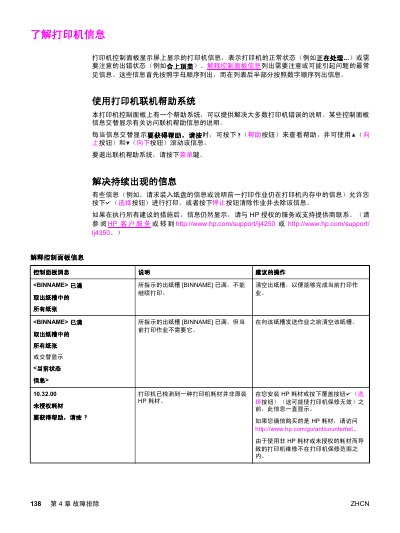
This document provides a comprehensive list of control panel messages displayed on the HP LJ4250/LJ4350 printers, indicating normal status or error conditions. Each message includes a description of the issue and suggested operational steps to resolve it, such as clearing paper jams, replacing consumables, or restarting the device.
The guide also details the usage of the printer's online help system, allowing users to access troubleshooting instructions directly from the control panel by pressing the Help button. It covers how to navigate the help menu using the Up and Down buttons and how to exit the system. This manual is written in Chinese.
Press the Help button when a message alternates to display help information, then use the Up and Down buttons to scroll.
Contact an authorized HP service or support provider for assistance.
Remove all paper from the output bin [BINNAME] to allow the current print job to complete.
Press the Select button to print the transmitted data (some data may be lost) and then simplify the print job or install additional memory.