
The V5121-A5 series high-performance color camera features a high-sensitivity 1/3" SONY Super HAD II CCD image sensor, with a high-level resolution of 560 lines and a signal-to-noise ratio of over 54dB. It supports OSD menu display and privacy area masking, and has a variety of white balance modes and adjustable functions, suitable for various monitoring scenarios.
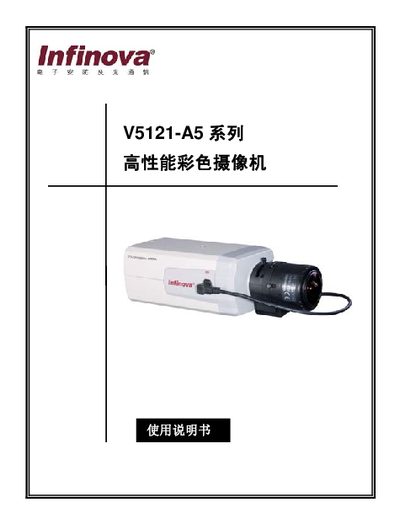
This manual introduces the V5121‑A5 series color camcorder, which uses a 1/3" SONY Super HAD II CCD sensor and offers 560TVL resolution with a signal‑to‑noise ratio greater than 54dB. It describes key features such as OSD menu display, privacy area masking, automatic gain control, and RS‑485 remote control.
The guide covers safety precautions, installation steps, panel connector descriptions, menu configuration (including sync, exposure, white balance, and privacy zones), and provides a full specification table for the camera models V5121‑A5114 and V5121‑A5104. This manual is written in Chinese.
| Image sensor | 1/3" SONY Super HAD II CCD |
|---|---|
| Resolution | 560 TVL |
| Minimum illumination | 0.2 Lux (F1.2, 30IRE, AGC HIGH) |
| Power consumption | 4 W (max) |
| Operating temperature | -10 °C to 50 °C |
| Supported power inputs | 12 VDC or 24 V AC |
| Privacy zones | Up to 4 programmable zones |
The camera supports up to four programmable privacy zones.
It can be powered by either 12 VDC or 24 V AC.
Select the DEFAULT option in the menu to restore factory settings.
The CAMERA ID can be configured through the CAMERA ID menu item.