
AW-LZ17MD9 17:1 motor drive zoom lens is used with AW-E800 series color camera. The lens is equipped with 2/3” 3CCD bayonet mount and can be remote controlled.
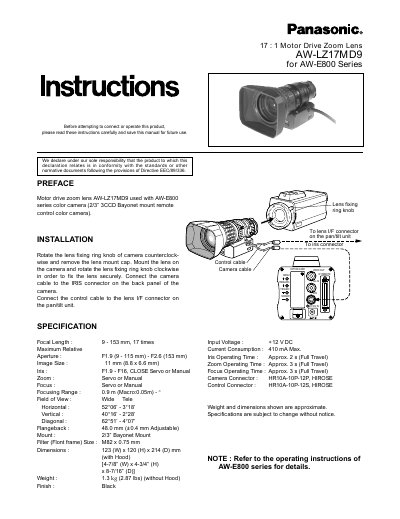
This document provides installation instructions for the Panasonic AW-LZ17MD9, a 17x motor drive zoom lens intended for use with the AW-E800 Series remote control color camera. The manual details how to mount the lens onto the camera and connect the necessary cables for operation.
| Focal Length | 9-153 mm, 17 times |
|---|---|
| Aperture | F1.9 (9 - 115 mm) - F2.6 (153 mm) |
| Image Size | 11 mm (8.8 x 6.6 mm) |
| Iris Range | F1.9 - F16, CLOSE Servo or Manual |
| Zoom Control | Servo or Manual |
| Focus Control | Servo or Manual |
| Focusing Range | 0.9 m (Macro:0.05m) |
| Mount Type | 2/3" Bayonet Mount |
| Filter Size | M82 x 0.75 mm |
| Dimensions | 123 (W) x 120 (H) x 214 (D) mm |
| Weight | 1.3 kg (2.87 lbs) |
This lens is designed for use with the AW-E800 Series color camera.
Rotate the lens fixing ring knob counterclockwise to remove the cap, mount the lens, and rotate the knob clockwise to fix it securely.