
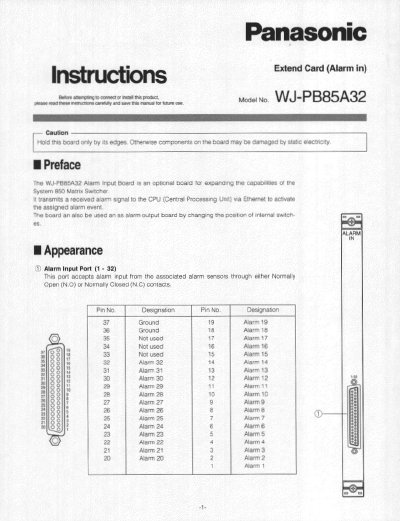
The WJ-PB85A32 Alarm Input Board is an optional board designed to expand the capabilities of the System 850 Matrix Switcher. It transmits received alarm signals to the CPU via Ethernet to activate assigned alarm events. The board can also function as an alarm output board by changing the position of internal switches.
This document provides instructions for board settings, including configuring the board number and alarm input requirements (Normally Open or Normally Closed). It also details the installation procedure for adding the board to the System 850 Matrix Switcher Card Cage and lists the physical specifications of the board.
| Connector Type | 37-pin D-sub connector |
|---|---|
| Output Mode | Open Collector Output, 12 VDC 50 mA maximum |
| Dimensions (Front Board) | 117.5(W) x 265(H) x 20(D) mm |
| Weight | 0.5 kg (1.1 lbs) |
Yes, the board can be used as an alarm output board by changing the position of internal switches.
The factory default setting is Board Number 1 (00).
The factory default settings for the alarm input type are OFF (Normally Open).