
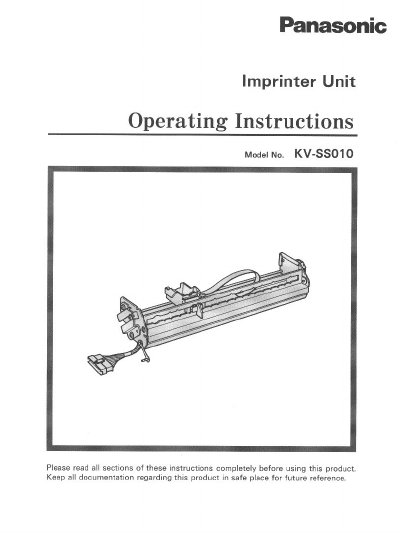
Panasonic KVSS010 Manual


Panasonic KVSS010 Manual - cover page
Brand
Panasonic
Category
Scanner
Document type
User Manual
Language
English
Pages
16
File format
PDF
File size
465 KB
Published
08 August, 2012
Updated
21 August, 2012
MD5 checksum
77D7A177F432E6B9E90875B451790B91

About this manual

This document provides operating instructions for the Panasonic KV-SSO10 Imprinter Unit. It details application settings for different scanner models, including the KV-S2055 series (pre-imprinter and post-imprinter) and the KV-S6040W/KV-S6045W series. The guide explains how to adjust the print positioning knob index to match specific scanners.

What's inside

  • Component Identification
  • Application Setting
  • Installing the Imprinter Unit (KV-S2055 Pre)
  • Installing the Imprinter Unit (KV-S2055 Post)
  • Installing the Imprinter Unit (KV-S6040W/6045W)
  • Installing the Ink Cartridge
  • Printing Position
  • Troubleshooting
  • Specifications

Specifications

Resolution (Horizontal)55.8 dpi (0.455 mm)
Resolution (Vertical)95.1 dpi (0.267 mm)
Nozzles12 nozzles
External Dimensions304 x 68 X 50 mm (12.0 x 2.7 x 2.0 in.)
Mass600 g (1.3 Ibs.)

Frequently asked questions

Which scanner series is this imprinter compatible with?

This unit can be used with the KV-S2055 series and KV-S6040W/KV-S6045W series scanners.

What should I do if the ink cartridge is at the end of its useful life?

Do not dispose of it in fire; replace the ink cartridge with a new one.

What is the remedy if printing position is wrong?

Confirm that the setting of the print positioning knob index is correct for your scanner.

Download PDF (465 KB)

More Panasonic Manuals


View all Panasonic manuals →