
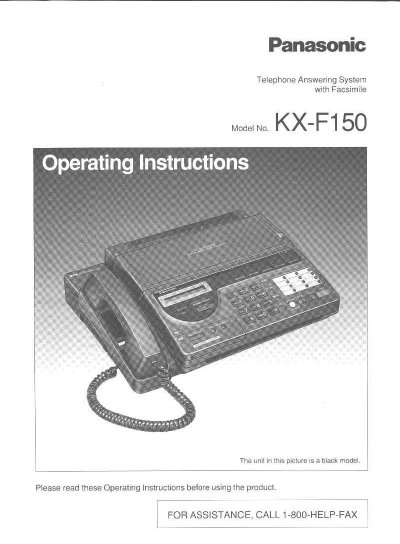
Panasonic KX-F150 Telephone Answering System with Facsimile Operating Instructions


Panasonic KX-F150 Telephone Answering System with Facsimile Operating Instructions - cover page
Brand
Panasonic
Category
Printer
Document type
User Manual
Language
English
Pages
132
File format
PDF
File size
3 MB
Published
07 August, 2012
Updated
17 August, 2012
MD5 checksum
1E61CFE9F2DD4469707167E4E24A04F0

About this manual

This document provides operating instructions for the Panasonic KX-F150 Telephone Answering System with Facsimile. The unit combines the functions of a facsimile machine, an answering device, and a telephone, allowing users to send and receive voice messages and documents on a single line. It features a desktop design with an LCD readout and includes an automatic document feeder.

What's inside

  • Location of Controls
  • Installing Your Unit
  • Installing the microcassette tape
  • Recording Your Greeting Message
  • Selecting the RECEIVE MODE
  • Setting Up Your Facsimile Unit
  • Setting date and time
  • Programming your facsimile telephone number
  • HELP Function
  • Facsimile and Copier

Specifications

Transmission Speed15-second transmission speed
Document Feeder Capacityup to 10 pages
Halftones16-level
Resolutionstandard/fine/super fine/halftone
One-touch Dialer12-station
Speed Dialer28-station
Receiving ModesANS/FAX, TEL/FAX, FAX, TEL

Frequently asked questions

What is the REN of this unit?

The Ringer Equivalence Number (REN) for this unit is 0.5B.

Can I use this unit as a standard telephone?

Yes, you can select the TEL (Telephone) mode to use the unit as a standard telephone.

How many pages can the automatic document feeder hold?

The automatic document feeder can hold up to 10 pages.

What happens if the unit detects a fax tone while playing the greeting message?

The unit will automatically activate the fax function.

Download PDF (3 MB)

More Panasonic Manuals


View all Panasonic manuals →