
PC interface software can back up EL-6890 data to your PC, or restore data from a backup file to an EL-6890. Address Utility allows you to type in an address, E-mail or WWW entry on a PC and download it into your EL-6890.
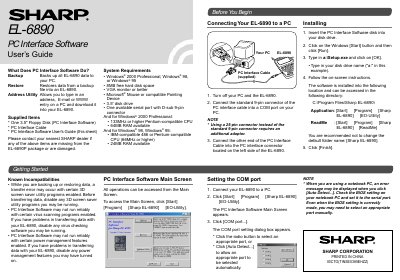
The document provides instructions for installing and using the PC Interface Software with the Sharp EL-6890. It details system requirements, including compatibility with Windows 2000 Professional, Windows 98, and Windows 95, as well as necessary hardware like a serial port and floppy disk drive.
The guide covers three main functions: Backup and Restore for data management, and Address Utility for transferring contact information. It includes step-by-step procedures for connecting the device to a PC via cable, configuring COM ports, and executing backup or restore operations on both the computer and the EL-6890.
| Operating Systems | Windows 2000 Professional, Windows 98, or Windows 95 |
|---|---|
| Hard Disk Space | 8MB free hard disk space |
| CPU (Windows 2000) | 133MHz or higher Pentium-compatible CPU |
| RAM (Windows 2000) | 64MB RAM available |
| CPU (Windows 98/95) | IBM-compatible 486 or Pentium-compatible |
| RAM (Windows 98/95) | 24MB RAM available |
| Storage Media | 3.5 disk drive |
The software may not run reliably with certain 3D screen saver utility programs, virus scanning programs enabled, or power management features enabled.
The default name follows the PC clock system in the format of YYYYMMDD.BKE.
It is installed into C:\Program Files\Sharp EL-6890\.