
Analog Devices ADAU1381 Evaluation Board User Guide UG-030

This user guide explains the signal flow and parameter settings for the ADAU1381 sound engine. The ADAU1381 is ideal for low power portable applications, such as digital camera audio. During the recording or playing back of audio, the sound engine provides many signal processing features to improve audio quality.
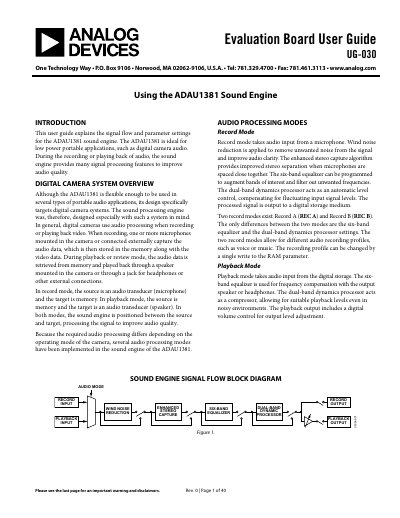

Analog Devices ADAU1381 Evaluation Board User Guide UG-030 - cover page
Brand
Analog Devices
Category
Other Electronics
Document type
User Manual
Language
English
Pages
40
File format
PDF
File size
1.3 MB
Published
02 August, 2012
Updated
30 September, 2023
MD5 checksum
F0BA915B2BE43663498B5F57F9D77D6F

About this manual

The document is a user guide for the ADAU1381 Sound Engine Evaluation Board (UG-030). It details how to use the SigmaStudio software tool to configure the registers and parameters of the chip via a graphical interface. The guide covers connecting the hardware, editing signal flows, and controlling audio processing features in real-time.

What's inside

  • Introduction
  • Digital Camera System Overview
  • Audio Processing Modes
  • SigmaStudio Interface to the Sound Engine
  • ADAU1381 Power-Up Sequence
  • Connecting the Evaluation Board
  • Editing the Signal Flow
  • Controlling Parameters in Real Time
  • Output File Generation
  • Sound Engine Signal Processing Flow

Frequently asked questions

What is the purpose of the ADAU1381 sound engine?

The ADAU1381 is ideal for low power portable applications, such as digital camera audio.

How does the sound engine improve audio quality?

During recording or playback, it provides features like wind noise reduction and a six-band equalizer.

What software is used to configure the ADAU1381?

SigmaStudio is a software tool that allows users to configure registers and parameters via a graphical user interface.

Download PDF (1.3 MB)

More Analog Devices Manuals


View all Analog Devices manuals →