
The document describes a GPS receiver with a safety mode that disables the touch screen buttons while the vehicle is in motion. However, the safety mode can be turned off to allow a passenger to operate the GPS while the vehicle is moving. The document provides instructions on how to disable the safety mode.
The Lowrance iWAY 250C GPS receiver features a Safety Mode designed to prevent vehicle drivers from configuring or entering information while driving. When active, the unit navigates and plays music, but touch-screen buttons are disabled until the vehicle stops. If a passenger is available to act as a navigator, Safety Mode can be turned off to switch the unit to Passenger Mode, allowing operation while the vehicle is in motion.
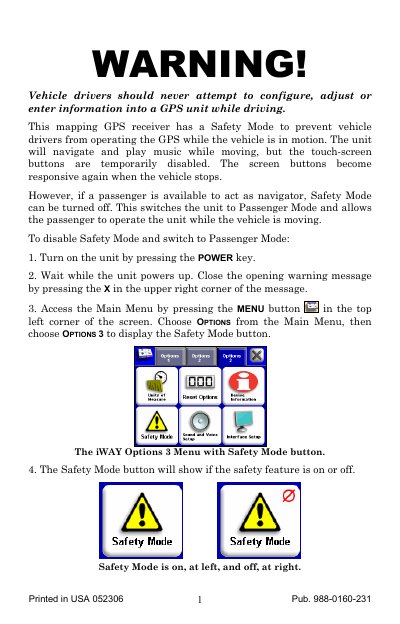
To disable Safety Mode, users must access the Main Menu, select Options, then Options 3, and tap the Safety Mode button. A warning message appears confirming that disabling this feature is intended only for passengers. To return to Safety Mode, the user repeats the process to re-enable the feature, which disables unit configuration while the vehicle is moving.
Safety Mode prevents vehicle drivers from operating the GPS unit, such as configuring or entering information, while the vehicle is in motion.
Yes, if Safety Mode is turned off (Passenger Mode), a passenger can operate the unit while the vehicle is moving.
Access the Main Menu, choose Options, then Options 3, and tap the Safety Mode button to switch to Passenger Mode.