
This document describes a solution for protecting networks using Symantec Network Access Control (NAC) and Allied Telesis Switches. By using the NAC solution, network administrators can effectively control network access and manage network security.
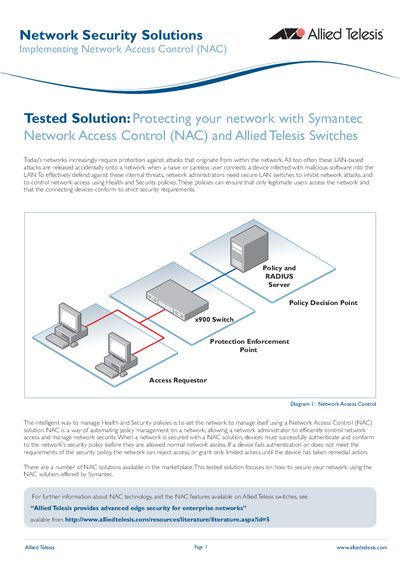
This document outlines a tested solution for securing enterprise networks against internal threats by implementing Network Access Control (NAC). The architecture utilizes Allied Telesis x900 Series and AT-8600 Series switches configured as Policy Enforcement Points, RADIUS servers, and Layer 3 switches. It integrates with Symantec's NAC components to automate the enforcement of health and security policies on client devices.
The provided configuration script is for a switch running the AlliedWare Plus Operating System.
Noncompliant PCs are assigned an IP address in the 192.168.111.0 subnet.
The PC is placed in a noncompliant VLAN that allows only limited network access to remediation servers.