
This document provides instructions on how to install and use the XMp3i audio player and its Home Dock. It includes detailed explanations and steps, such as inserting the battery, charging, powering on the device, using the control wheel, etc. It also covers the installation location selection for the Home Dock, connecting the indoor/outdoor antenna, and the home power adapter.
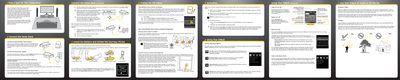
This guide provides step-by-step instructions for setting up the SiriusXM XMp3i portable radio and its accompanying Home Dock. It covers selecting a location for the dock, connecting the indoor/outdoor antenna and power adapter, and linking the device to a home stereo system or powered speakers.
The document details how to install the battery, activate the service online or by phone, and navigate the XMp3i's main menu options including Live XM, My Music Library, Auto Recordings, and Settings. It also explains how to record content, manage playlists, and use the device in portable mode.
It is recommended to allow the XMp3i to charge in the Home Dock for at least 3 hours before removing it.
You can pause and replay up to the last 30 minutes of Live XM.
You can record up to 10 hours of songs and listen to them later in My Music Library.