
This file is a Stratus 6 car navigation host installation guide. Instruct users how to install the Stratus 6 car navigation host.
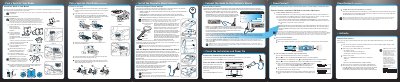
This guide provides step-by-step instructions for installing the PowerConnect Stratus 6 satellite radio in a vehicle. It details how to choose a mounting location, install the magnetic antenna, and secure the unit using either a dash mount or a vent mount. The document includes specific precautions regarding airbag deployment and adhesive curing times.
Allow the Dash Mount adhesive to cure for a minimum of 2-4 hours before using the mount, with the best adhesion occurring after 24 hours.
The best method is to use the Aux In Cable if the vehicle's stereo system has an auxiliary input connection.
You can activate your service online at www.sirius.com or by calling 1-888-539-SIRIUS.