
This document describes the installation method of the car radio.
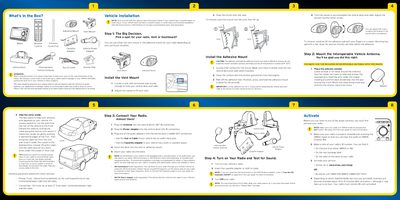
The document details how to install the SIRIUS XM Mirge Vehicle Dock using either a vent mount or an adhesive mount. It includes specific steps for positioning the mount on a flat surface, cleaning it with an alcohol pad, and allowing adequate drying time before attaching the dock.
For vehicles without cassette players or audio inputs, the guide recommends professional installation via XM SureConnect or XM FM Direct. The instructions cover connecting the interoperable vehicle antenna, power adapter, and various audio adapters (Aux In or Cassette) to enable playback through the vehicle's stereo system.
| Drying Time (Adhesive) | 2 - 3 hours minimum, 24 hours for best results |
|---|---|
| Favorite Channel Presets | Up to 10 presets per service |
Professional installation with XM SureConnect or XM FM Direct is recommended if the vehicle does not have a cassette player or audio input.
You can activate the service online at www.sirius.com/mirge or by calling 1-888-539-SIRIUS.
Yes, by using an Aux In Cable if your vehicle has an audio input jack.