
Key facts
- Brand
- SIRIUS
- Model
- XMP3I
- Category
- Car Speakers
- Industry
- Electronics
- Documents
- 6
- Languages
- EN
- Last added
- 2012-07-06
Start here
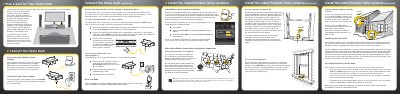
SIRIUS XM XMP3iHK Additional Home Kit Quick Start Guide
This document is a Quick Start Guide for the SIRIUS XM Additional Home Kit (model XMP3iHK). It details the setup process for the Home Dock, which allows users to listen to satellite radio on their XMp3i or Pioneer XMp3 radio from a fixed location. The guide covers selecting a location for the dock, connecting the power adapter, and linking the dock to an audio system via a stereo system or powered speakers.
Read onlineSIRIUS XMP3I specifications
| Compatible Radios | XMp3i or Pioneer XMp3 Radio |
|---|---|
| Audio Input | AUX In or LINE In |
| Connector Type | 1/8" (3.5 mm) |
Source: SIRIUS XM XMP3iHK Additional Home Kit Quick Start Guide
All SIRIUS XMP3I documents by type
Day-to-day operation, settings and troubleshooting. Start here if the product is already set up.
The shortest path to a working setup, usually only a few pages.
Questions answered in these manuals
Where should I place the Home Dock?
Choose a location close to your stereo system or powered speakers where the antenna cable can reach, ensuring good visibility of the display and avoiding direct sunlight.
From: SIRIUS XM XMP3iHK Additional Home Kit Quick Start Guide
How do I connect the Home Dock to a stereo system?
Connect the 1/8" connector to the green AUDIO port on the dock, then plug the white and red ends into the AUX In or LINE In jacks on your stereo.
From: SIRIUS XM XMP3iHK Additional Home Kit Quick Start Guide
What is the minimum software version required for this kit?
The radio must be running Software Version 1.19 or later.
From: Sirius XM Radio Inc. XMp3i PowerConnect Vehicle Kit User Guide
How long should I wait before using the Dash Mount after installation?
You must allow at least 24 hours for the adhesive to cure.
From: Sirius XM Radio Inc. XMp3i PowerConnect Vehicle Kit User Guide
What is the recommended temperature range for the device?
The device should not be exposed to temperatures outside the range of 32° to 95°F (0° to 35°C).
How long can I replay paused XM programming?
You can pause and replay up to 30 minutes of XM programming.