
SIRIUS Sportster 5 Satellite Radio Installation Guide

This is an installation guide for satellite radio.
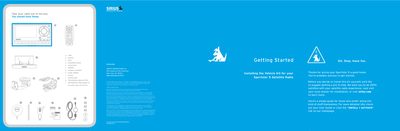

SIRIUS Sportster 5 Satellite Radio Installation Guide - cover page
Brand
SIRIUS
Category
Car Accessories
Document type
Installation Guide
Language
English
Pages
2
File format
PDF
File size
522 KB
Published
06 July, 2012
Updated
30 September, 2023
MD5 checksum
89438C1B1DB713DE5D2CB04F3DA138C3

About this manual

This guide provides instructions for installing the vehicle kit for the SIRIUS Sportster 5 satellite radio. It covers mounting options for the vehicle dock, including air vent and windshield placements, and details safety precautions regarding airbags and driver visibility. The document also addresses legal restrictions on suction mounts in specific states like California and Minnesota.

What's inside

  • SAFETY PRECAUTIONS
  • Getting Started
  • Installing the Vehicle Kit
  • Air Vent Mounting
  • Windshield Mounting
  • Antenna Placement
  • Connecting to Car Stereo
  • Activating the Radio

Frequently asked questions

Is it legal to use suction mounts on windshields in California and Minnesota?

State law prohibits drivers in California and Minnesota from using suction mounts on their windshields while operating motor vehicles.

Where can I find the 12 digit SIRIUS ID number?

The ID number is located on the bottom of the box or can be found by selecting Power > Menu > SIRIUS ID.

What should I do to test if the radio is getting a signal?

Turn on the radio and select channel #184 to ensure you are getting signal and sound.

Download PDF (522 KB)

More SIRIUS Manuals


View all SIRIUS manuals →