
This document describes the installation instructions of the Sportster 5, including how to install the Dash or Vent Mount, the magnetic mount antenna, the audio to the vehicle's stereo, the power on, the PowerConnect, and the activation
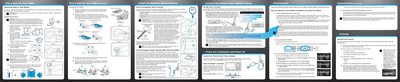
This manual provides instructions for installing the SIRIUS Sportster 5 satellite radio in a vehicle. It details two mounting options: the Dash Mount and the Vent Mount, along with specific guidelines for placing the magnetic mount antenna based on vehicle type (sedan, pickup, convertible, or SUV). Important safety cautions regarding airbag deployment and driver visibility are included.
The guide explains how to connect the radio to a vehicle's stereo system using various adapters, including the Aux In Cable, Cassette Adapter, or FM Direct Adapter (FMDA). It also covers the process of finding an available FM channel for the PowerConnect feature and activating the service.
We recommend mounting the antenna above either the front windshield or the back window.
The air temperature must be at least 60°F (15°C) during installation.