
This document is a user's guide for the Uniden D1384 series phone. The phone series includes a base with answering system and cordless handset, as well as an accessory handset and charger. The document provides the quantity of accessories for each model and lists the items included in the product box. It also provides contact information for Uniden's customer care line, parts department, and accessibility help line, as well as a website for 24/7 assistance.
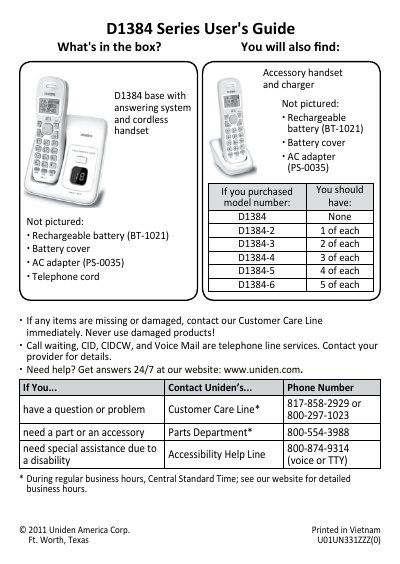
The Uniden D1384 Series is a cordless phone system that includes a base unit with an answering system and one or more rechargeable handsets. The manual details how to unpack the accessories, charge the batteries (requiring approximately 15 hours for full capacity), and connect the telephone line.
| Phonebook Capacity | 30 entries |
|---|---|
| Battery Charging Time | about 15 hours |
It takes about 15 hours to charge the handset completely.
The phone can store up to 30 entries in its phonebook.
Press the * key during a call to send DTMF tones; the phone returns to pulse dialing when you hang up.