
Uniden D1484/D1481 Series Cordless Phone User's Guide

This manual introduces the basic operation and use of Uniden D1484/D1481 series telephones
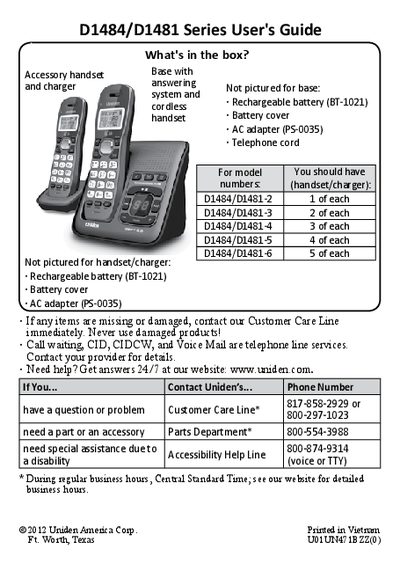

Uniden D1484/D1481 Series Cordless Phone User's Guide - cover page
Brand
Uniden
Category
Telephone
Document type
User Manual
Language
English
Pages
20
File format
PDF
File size
1.3 MB
Published
05 July, 2012
Updated
30 September, 2023
MD5 checksum
EAAC87BA816DEFA8B1BE8EFEFA5644AE

About this manual

This manual covers the setup of the Uniden D1484/D1481 Series cordless telephone system. It details how to charge batteries, connect the base unit, and configure dialing modes (tone or pulse). The guide explains the functions of handset keys for making calls, using speakerphone, muting microphones, and transferring calls.

What's inside

  • Getting Started
  • Installing Your Phone
  • Using the Menu
  • Basics
  • Finding the Handset
  • Using the Phonebook
  • Caller ID
  • Redial Lists
  • Multi-Handset Feature
  • Using a Voice Mail Service

Specifications

Warranty Period1 Year, Limited
Battery Charge Timeabout 15 hours

Frequently asked questions

How long should I charge the handset before using it?

You must charge the handset completely for about 15 hours before use.

How do I change from tone dialing to pulse dialing?

Press MENU/SELECT, select Global Setup, then select Dial Mode and choose Pulse.

How do I mute the microphone during a call?

Press MESSAGE/MUTE while on the phone line to mute the microphone.

Download PDF (1.3 MB)

More Uniden Manuals


View all Uniden manuals →