
The document describes the features and characteristics of the Uniden D2380 series telephone, including the D2380 base with answering system and cordless handset, accessory handset and charger.
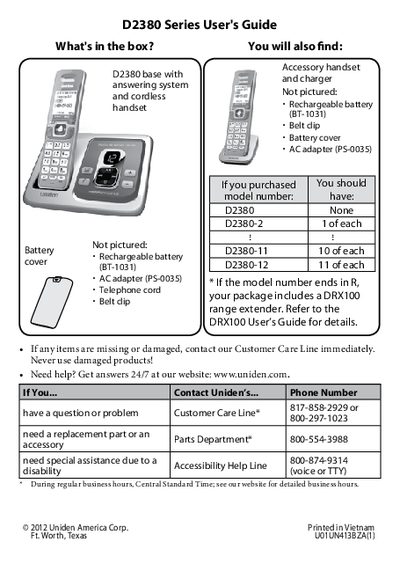
This manual provides instructions for the Uniden D2380 Series cordless phone system. It details the contents of the package, including the base, handsets, and accessories like the DRX100 range extender. The guide covers initial setup, such as charging batteries and connecting the telephone line, as well as changing dialing modes between tone and pulse.
| Charging Time | about 15 hours |
|---|---|
| Power Input | 120V AC |
| Product Name | D2380 Series |
You should charge all handsets completely for about 15 hours before using them.
Check the connection between the base and the phone jack, or move the handset closer to the base.
Press MENU/SELECT, choose Global Setup, select Dial Mode, and choose Pulse.