
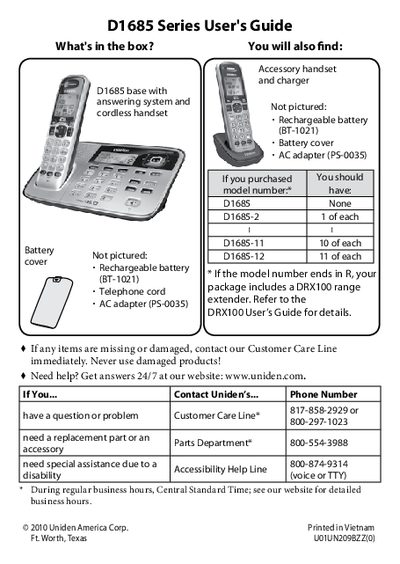
Uniden D1685 Series Cordless Phone User's Guide


Uniden D1685 Series Cordless Phone User's Guide - cover page
Brand
Uniden
Category
Telephone
Document type
User Manual
Language
English
Pages
24
File format
PDF
File size
847 KB
Published
05 July, 2012
Updated
29 September, 2023
Model
D1685
MD5 checksum
E05150AE98604904BEBDE6B18F413124

About this manual

This manual provides instructions for the Uniden D1685 Series cordless telephone system. It details how to unpack the components, charge the batteries, and install the phone by connecting the telephone cord and AC adapter. The guide explains how to test the connection and switch between tone and pulse dialing modes.

What's inside

  • Getting Started
  • Installing Your Phone
  • Getting to Know Your Phone
  • Using the Menus
  • Using Your Phone
  • Using Special Features
  • Using the Answering System
  • Important Information
  • Solving Problems
  • Compliance Information

Specifications

Charging Timeabout 15 hours

Frequently asked questions

How do I change the phone to pulse dialing?

Press MENU/SELECT, choose Global Setup, select Dial Mode, then select Pulse.

How do I turn off the ringer?

Press and hold the SILENT key in standby mode to turn off the ringer on the base and any registered handset.

What does the ECO icon on the display mean?

It indicates that the handset is currently using ECO (power save) mode.

Download PDF (847 KB)

More Uniden Manuals


View all Uniden manuals →