
Uniden D2280 Series Cordless Phone User's Guide

This manual provides instructions for using the D2280 series products, including product installation and function use.
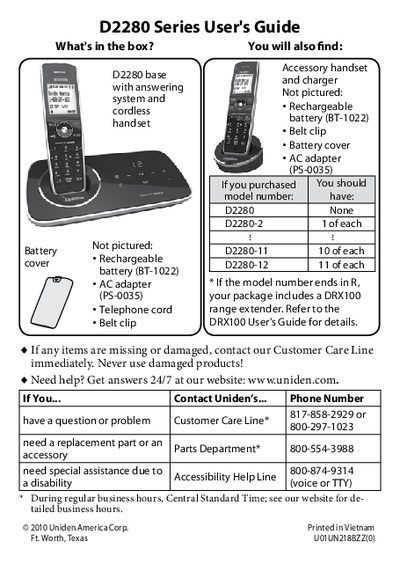

Uniden D2280 Series Cordless Phone User's Guide - cover page
Brand
Uniden
Category
Telephone
Document type
User Manual
Language
English
Pages
28
File format
PDF
File size
1.2 MB
Published
05 July, 2012
Updated
30 September, 2023
MD5 checksum
BAAA37455339B6F95D1AF8A3CE2BF3EF

About this manual

The Uniden D2280 Series is a cordless telephone system that includes a base station with an answering system and up to 12 handsets. The manual details how to charge batteries, connect the telephone line, and configure dialing modes (tone or pulse). It provides instructions for using the handset menu to customize ring tones, enable personal rings, and set up features like AutoTalk and T-coil mode.

What's inside

  • Getting Started
  • Installing Your Phone
  • Using the Handset Menu
  • Using Special Features
  • Using the Answering System
  • Important Safety Instructions
  • Solving Problems

Frequently asked questions

How long should I charge the batteries before using the phone?

You must charge all handsets completely for about 15 hours before using them.

How do I change from tone dialing to pulse dialing?

Press MENU/SELECT, choose Global Setup, select Dial Mode, and then select Pulse.

What does the ECO icon on the display mean?

The ECO icon indicates that the handset is using power save mode.

Download PDF (1.2 MB)

More Uniden Manuals


View all Uniden manuals →