
This document is a product manual for Uniden D1364 series telephones printed by Uniden America Corp. in Vietnam in 2012. The document describes the accessories and features of the Uniden D1364 series phones. The phone accessories include rechargeable battery, battery cover, AC adapter, and telephone cord. The phones have features such as caller ID, call waiting, and voice mail. The document also provides contact information for Uniden, including customer care line, parts department, and accessibility help line. Users can get 24/7 assistance on Uniden's website.
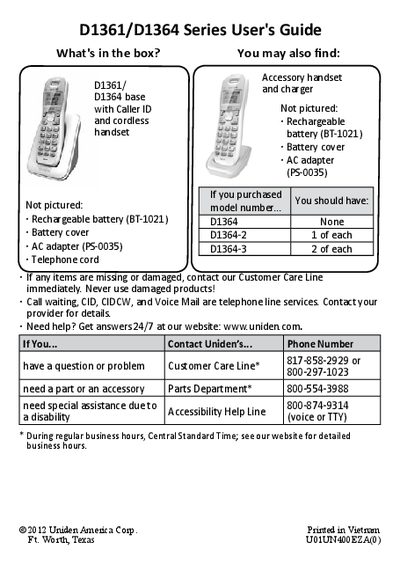
This manual covers the Uniden D1361 and D1364 cordless phone systems, detailing the contents of the box and initial setup steps such as charging the battery and connecting the telephone cord. It explains how to install the base unit on a wall or desk and how to test the connection.
| Phonebook capacity | 30 entries |
|---|---|
| Caller ID list capacity | 30 received calls |
| Redial list capacity | 5 numbers |
| Charging time | about 15 hours |
It takes about 15 hours to charge the handset completely before using it.
The phone can store up to 30 entries in its phonebook.
Press MENU/SELECT, select Global Setup, then select Dial Mode and choose Pulse.