
This document provides operating instructions for the VDV MultiMedia Cable Tester, including warnings and precautions, as well as instructions for various functions. The product can test various types of cable systems, such as voice, data, and video, and features a large LCD display for clear results, testing for various issues, and displaying pass results.
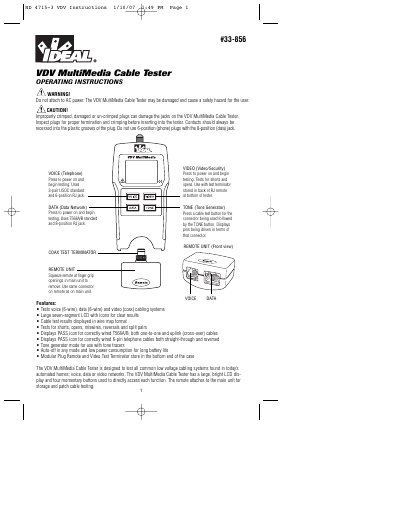
The IDEAL 33-856 VDV MultiMedia Cable Tester is designed to test voice, data, and video cabling systems in automated homes. It features a large seven-segment LCD display and four momentary buttons to access Voice, Data, Video, and Tone Generator modes. The device tests for faults such as shorts, opens, miswires, reversals, and split pairs, and displays results in a wire map format.
The tester displays a 'Volts!' icon and stops testing until the voltage is removed.
The tone turns off automatically after about 2.4 hours.
The tester displays the 'Pass' icon.