
The DS21458DK Design Kit is an easy-to-use evaluation board for the DS21458 quad T1/E1/J1 transceiver. The kit includes the DS21458 quad SCT, transformers, termination resistors, configuration switches, line protection circuitry, network connectors, and motherboard connectors. The DK101/DK2000 motherboard and Dallas' ChipView software provide point-and-click access to configuration and status registers from a Windows®-based PC. On-board LEDs indicate receive loss-of-signal and interrupt status. An on-board FPGA contains mux logic to connect framer ports to one another or to the DK2000 in a variety of configurations. Each DS21458DK is shipped with a free DK101 motherboard. For complex applications, the DK2000 high-performance demo kit motherboard can be purchased separately.
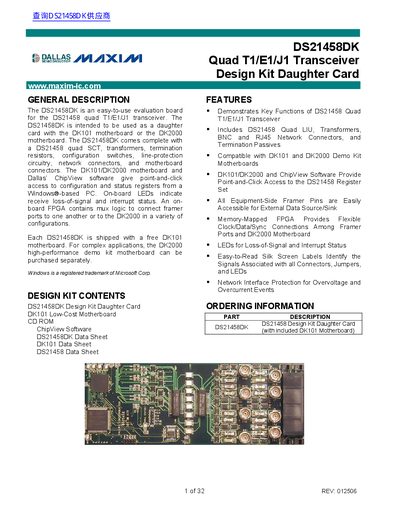
The DS21458DK is an evaluation board designed for the DS21458 quad T1/E1/J1 transceiver. It functions as a daughter card compatible with the DK101 low-cost motherboard or the DK2000 high-performance demo kit motherboard. The kit includes the daughter card, transformers, termination resistors, configuration switches, and network connectors, along with the necessary software for configuration.
| Compatible Motherboards | DK101 and DK2000 Demo Kit Motherboards |
|---|---|
| Included Components | DS21458 Quad LIU, Transformers, BNC and RJ45 Network Connectors |
| Power Supply | 3.3V |
| FPGA Type | Xilinx Spartan |
The DS21458DK is intended to be used as a daughter card with the DK101 motherboard or the DK2000 motherboard.
The kit includes ChipView software which provides point-and-click access to configuration and status registers from a Windows-based PC.
To switch modes, slide the SW1-SW4 switches to the desired mode (grounding the BNC shell for E1 mode).