
This document is the Quick Start Guide of Olympus C-60 ZOOM digital camera, which introduces the basic functions and usage methods of the camera.
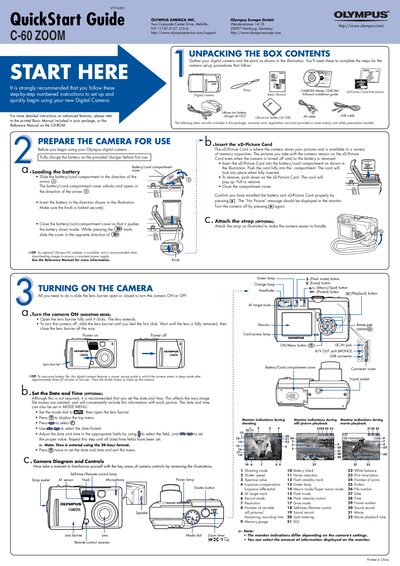
This guide walks you through the first steps of using the Olympus C-60 Zoom digital camera, from unpacking the box and charging the battery to inserting the xD‑Picture Card and attaching the optional strap. It also explains how to turn the camera on, set the date and time, and understand the basic controls and monitor indications.
The document then covers essential functions such as taking pictures with the viewfinder or monitor, zooming, using flash modes, viewing and erasing images, and connecting the camera to a computer for image transfer and software installation.
| Supported xD‑Picture Card capacity | 16 MB to 12 MB |
|---|
Fully charge the battery on the provided charger before first use.
Insert the xD‑Picture Card into the battery/card compartment, push it fully in until it locks, then close the compartment cover.