
This document provides the operation guide for the DQD-105 clock. It includes instructions on removing the sticker before using the clock, the functions of each button, and the features and characteristics of the clock.
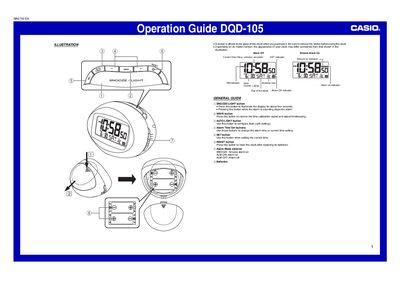
The Casio DQD-105 is a digital clock that can automatically receive time calibration signals from Mainflingen, Germany. The device features an antenna icon to indicate reception status and a Wave OK indicator to confirm successful synchronization with Standard Time or Daylight Saving Time data.
Users can manually set the date and time if signal reception is unavailable. The clock includes alarm functions with options for snooze and adjustable sound levels, as well as manual and automatic light settings to illuminate the display in low-light conditions.
The clock receives signals transmitted from Mainflingen, Germany.
The clock receives the time calibration signal eight times each day.
Pressing the button stops the alarm temporarily; if snooze is active, it sounds again in about five minutes.