
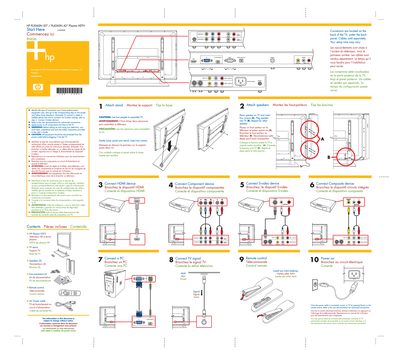
HP PL5060N / PL4260N Plasma HDTV Quick Start Guide


HP PL5060N / PL4260N Plasma HDTV Quick Start Guide - cover page
Brand
HP
Category
Television
Document type
Quick Start Guide
Language
English
Pages
1
File format
PDF
File size
928 KB
Published
04 June, 2012
Updated
26 June, 2012
MD5 checksum
0C509064D803AB1A6946829107D204C7

About this manual

This guide provides a brief, step‑by‑step overview for setting up HP PL5060N (50") and PL4260N (42") plasma HDTVs. It explains how to identify connector types, attach speakers, and power the TV safely.\n\nThe document also lists the items included with the TV (remote control, stand, speakers, AC power cable) and highlights safety warnings such as disconnecting power before assembly and using two people to install the TV.

What's inside

  • Setup Overview
  • Connector Identification
  • Connecting HDMI Device
  • Connecting S‑Video Device
  • Speaker Installation
  • Power On Procedure

Specifications

Screen size50 inches (PL5060N) / 42 inches (PL4260N)
Remote control battery typeAAA

Frequently asked questions

How many people should assemble the TV?

Two people are recommended to assemble the TV.

What type of batteries does the remote control use?

The remote control uses two AAA batteries.

Where are the TV connectors located?

Connectors are located on the back of the TV, under the back panel.

Download PDF (928 KB)

More HP Manuals


View all HP manuals →