
NEC V300X/V260X/V230X/V260/V230/V300W/V260W Quick User Manual

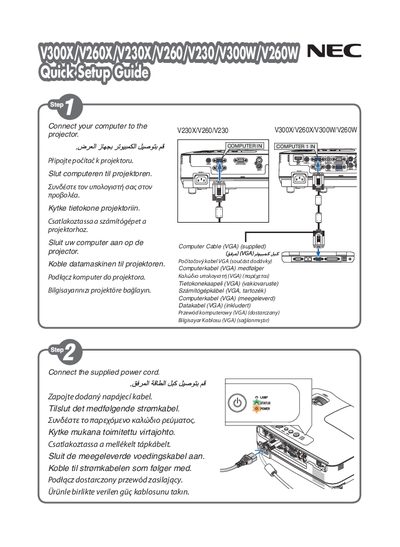
This document is the Quick Setup Guide for V300X/V260X/V230X/V260/V230/ V300W/V260W projector, which introduces how to connect computer, power cord and select input source

NEC V300X/V260X/V230X/V260/V230/V300W/V260W Quick User Manual - cover page
Brand
NEC
Category
Monitor
Document type
Quick Start Guide
Language
English
Pages
6
File format
PDF
File size
1.7 MB
Published
10 May, 2012
Updated
30 September, 2023
MD5 checksum
196649B1DBDB046C0AF60AF1B083BC0C

About this manual

This quick user manual covers the NEC V300X, V260X, V230X, V260, V230, V300W, and V260W display series. It provides essential information for installing, configuring, and operating the displays.

The guide includes multilingual tips, such as using the AUTO ADJ button to automatically optimize the computer image, helping users achieve optimal picture quality with a single press.

What's inside

  • Quick Start Tips
  • AUTO ADJ Button
  • Image Optimization
  • Safety Precautions
  • Product Overview

Frequently asked questions

How do I automatically optimize the computer image on the display?

Press the AUTO ADJ button to optimize the computer image automatically.

Where was this manual printed?

The manual was printed in China by NEC Display Solutions, Ltd.

Download PDF (1.7 MB)

More NEC Manuals


View all NEC manuals →