
This document introduces how to connect NEC projector, including how to connect the computer to the projector, how to turn on the projector, how to select the signal source, how to adjust the image size and position, how to correct the trapezoidal distortion, how to focus, how to turn off the projector, etc.
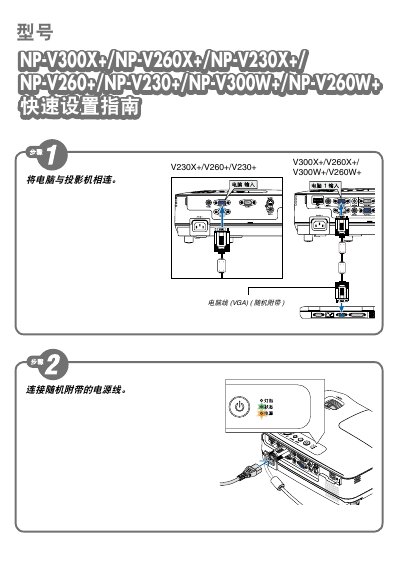
This quick start guide provides essential information for setting up and operating NEC NP-V300X, NP-V260X, and NP-V230X display units. It includes safety tips, basic installation steps, and key operating instructions.
The manual is concise and intended for end‑users who need to get the display up and running quickly. It also contains brief troubleshooting hints and reference numbers for further support. This manual is written in Japanese.