
NP216/NP215/NP210/NP115/NP110 Quick Setup Guide, introduces the basic operations such as connecting a computer, power and selecting a signal source
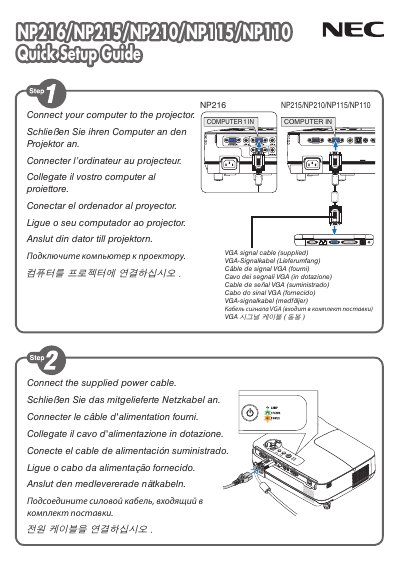
This manual explains how to connect the NEC NP216 display using the VGA interface and other supported connectors. Detailed wiring diagrams and connector pin‑outs are included to help users complete the installation safely.
The guide also describes the AUTO ADJ function, which automatically optimizes the on‑screen image. Pressing the AUTO ADJ button adjusts brightness, contrast, and geometry for the best picture quality. This manual is written in Japanese.
Press the AUTO ADJ button to automatically adjust the computer image.
The display supports a VGA connector for video input.