
This manual describes how to use the D-Link DNS-320 ShareCenter® 2-Bay Network Storage so that you can share your documents, photos, music, and videos across the network and on the Internet.
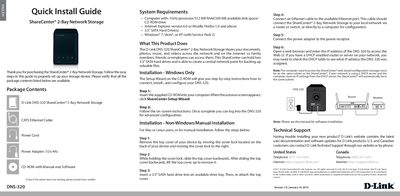
The guide begins with a list of package contents, confirming that the DNS-320 unit, CAT5 Ethernet cable, power cord, 12 V/4 A power adapter, and CD‑ROM with software are included. It also outlines the system requirements such as a 1 GHz processor, 512 MB RAM, and 200 MB free disk space.
Installation instructions are provided for both Windows and non‑Windows platforms. Windows users are directed to run the ShareCenter Setup Wizard from the CD, while Mac/Linux users receive step‑by‑step hardware installation directions, including hard‑drive insertion, cover removal, Ethernet connection, and web‑based configuration via a browser.
| Processor | 1 GHz |
|---|---|
| Memory | 512 MB RAM |
| Disk Space | 200 MB available |
| Hard Drive Type | 3.5" SATA |
| Power Adapter | 12 V / 4 A |
| Network Interface | Ethernet port (RJ‑45) |
The package contains the D‑Link DNS‑320 ShareCenter, a CAT5 Ethernet cable, a power cord, a 12 V/4 A power adapter, and a CD‑ROM with manual and software.
A computer with a 1 GHz processor, 512 MB RAM, 200 MB free disk space, a CD‑ROM drive, and Windows 7, Vista, or XP (SP2) or a compatible browser.
Insert the supplied CD‑ROM, run the ShareCenter Setup Wizard, and follow the on‑screen instructions to connect, install, and configure the device.